🎃 HALLOWEEN SALE: 50% OFF best-selling Windows, Office, Autodesk & Server keys — use code GHOST50 Shop the sale →


Are Cheap Windows Keys Legit? How to Spot a Safe Seller

Some cheap Windows keys are legit and some are not; price alone will not tell you which. A low-cost key may be a genuine resold or surplus licence, or a misused volume key, a key sold several times, or one bought with stolen card details. What matters is the key’s source, its licence type and whether the seller stands behind it.
Key takeaways
- Cheap Windows keys are usually sold outside Microsoft’s own distribution chain, often called the grey market. That is not automatically illegal, but quality varies widely.
- Within the EU, the 2012 UsedSoft ruling supports reselling perpetual software licences under strict conditions; it does not legitimise split volume keys or stolen keys.
- A key that activates today can still be blocked later, so the seller’s refund and replacement policy matters as much as the price.
- Check the seller’s company details, stated licence type, support channels and refund terms before you pay.
- Avoid any seller that supplies pre-activated ISOs, activation scripts or “lifetime guaranteed” promises.
In this guide
- Are cheap Windows keys legit, and why are they so cheap?
- What are grey market keys, and are they legal?
- Is software resale legal in the EU and UK?
- What are the real risks of a cheap Windows 11 key?
- How do you spot a safe seller?
- What should you do after buying a cheap key?
- Frequently asked questions
- The bottom line
- Useful links
Are cheap Windows keys legit, and why are they so cheap?
Cheap Windows keys are cheap because they do not come through Microsoft’s full-price retail channel. Typical sources are surplus OEM licences, perpetual licences resold by businesses or refurbishers, and regional price differences. Less legitimate sources include volume keys taken out of business agreements, keys sold more than once, and keys bought with stolen cards.
The source decides both whether the key is lawful to sell and how likely it is to keep working. A reputable discount seller can explain broadly where its stock comes from; a poor one will not.
| Source of the key | Can it be legitimate? | Main risk to the buyer |
|---|---|---|
| Unused or surplus OEM licences | Often, for a new or self-built PC | Tied to the first PC it activates; not transferable |
| Resold perpetual retail licences | Yes, where resale law and terms allow | Previous owner must have stopped using it |
| Regional price differences | Sometimes | Region or language restrictions on some products |
| Volume (MAK) keys split from a business agreement | Generally no | Blocked when the issuing organisation’s key is revoked |
| One key sold to many buyers | No | Activation limit reached; error 0xC004C008 |
| Keys bought with stolen payment cards | No | Revoked after the fraud is reported |
If you are unsure what OEM, retail and MAK mean in practice, our guide to OEM vs retail vs volume Windows keys covers each licence type and what it allows.
What are grey market keys, and are they legal?
Grey market keys are genuine Microsoft product keys sold outside the publisher’s authorised distribution chain. They are not counterfeit in themselves, and grey market does not mean black market. Whether a particular sale is lawful depends on the licence type, local resale law and how the seller obtained the key.
Microsoft’s own support pages describe buying from Microsoft or from an “authorized retailer” as the routes it supports. That does not make every other seller illegitimate, but it does mean Microsoft will not help with a key bought elsewhere: support for the purchase sits with the seller.
That is the real trade-off. You pay less, and in return you rely on the seller’s sourcing and after-sales support rather than Microsoft’s. We would rather buyers understand that clearly than be surprised later.
Is software resale legal in the EU and UK?
In the EU, the Court of Justice ruled in UsedSoft v Oracle (Case C-128/11, July 2012) that when a publisher sells a copy of software with a perpetual licence for a fee, its exclusive distribution right is exhausted, so that licence can be resold. The ruling sets conditions and does not cover every type of key.
According to the court’s official press release on the UsedSoft judgment, the conditions include:
- Perpetual licence for a fee. The original licence must have been granted for an unlimited period in return for payment. Subscriptions such as Microsoft 365 are a different model.
- The seller stops using it. The original owner must make their own copy unusable at the time of resale.
- No splitting. A multi-user or volume licence cannot be divided and part of it resold.
Three cautions apply. First, this is EU case law; it was decided while the UK was in the EU, and since Brexit the higher UK courts can depart from EU case law of that era, so its position in the UK is less certain. Second, it protects lawful resale, not keys obtained by fraud or carved out of volume agreements. Third, it is a legal principle, not a promise that a given key will activate. Treat this section as general background, not legal advice.
Sellers relying on this principle should explain it openly. WinCDKey sets out its position on its EU law and software authentication page, which is the kind of document worth reading at any discount retailer before you buy.
What are the real risks of a cheap Windows 11 key?
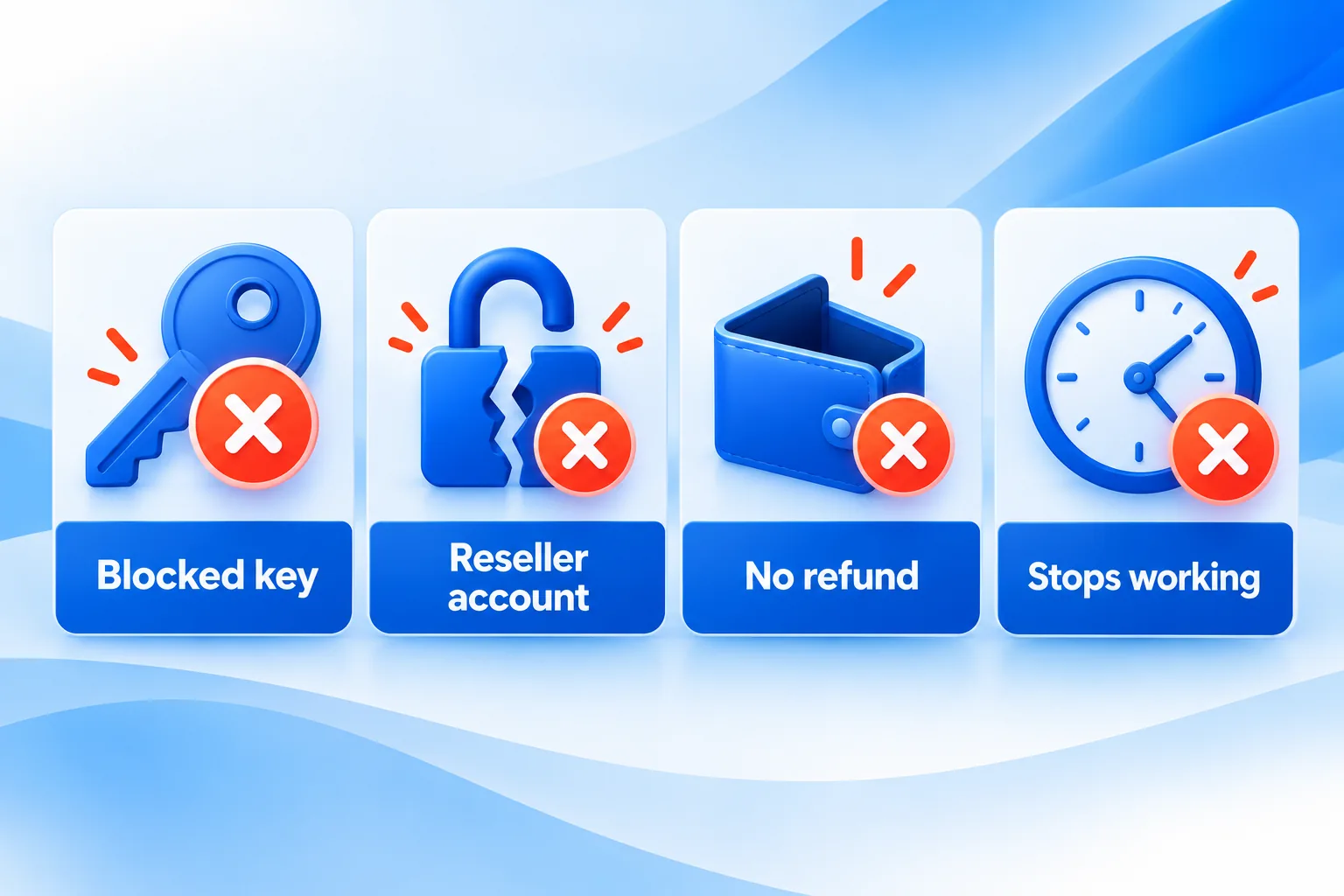
The main risks of a cheap Windows 11 key are that it fails to activate, activates on the wrong edition, or is blocked weeks or months later because its source was illegitimate. A smaller but serious risk comes from sellers who supply modified installation files or activation tools instead of a clean key.
- Already used. The key was sold to someone else first and Windows reports it is in use on another device.
- Later deactivation. A volume key or fraudulently bought key works at first, then is revoked. The “Activate Windows” watermark returns.
- Wrong product. An Enterprise, Education or N-edition key sold as “Windows 11 Pro”, or a key that only activates by phone without the listing saying so.
- Modified software. “Pre-activated” ISOs and activation scripts can carry malware and breach Microsoft’s licence terms. A legitimate key works with Microsoft’s own installation media.
- No recourse. Anonymous marketplace sellers can disappear before a problem shows up.
Microsoft notes that activation does not evaluate the authenticity of the copy itself; it checks whether the key is allowed to activate. That is why “it activated” is a good first sign but not complete proof of a clean licence.
How do you spot a safe seller?
A safe seller is identifiable, specific and accountable: it names the company behind the shop, states exactly which licence type you are buying, points you to Microsoft’s official downloads, and publishes a refund or replacement policy with real support channels. Use the checklist below before paying, whatever the price.
- Company identity. Look for a registered company name, a postal address and a working contact page, not just a chat widget.
- Licence type stated plainly. The listing should say Retail, OEM or phone activation, which edition, and how many PCs.
- Official installation media. Instructions should point you to Microsoft’s own download, not a seller-hosted ISO.
- Written refund and replacement terms. Read what happens if the key fails at first activation and if it stops working later.
- Real support. A ticket system, email or phone help for activation errors, with typical response times.
- Payment protection. Pay by credit card or PayPal so you have a dispute route if the seller does not honour its policy.
- Measured claims. Be wary of “lifetime guarantee”, “100% genuine” or “official Microsoft partner” claims at very low prices.
- Review patterns. Look at recent reviews for repeated reports of keys failing after a few weeks, not just the star rating.
| Green flags | Red flags |
|---|---|
| Company name, address and contact details | No company details, only a messaging app |
| Licence type and edition stated on the product page | “Windows 11 key” with no edition or channel |
| Links to Microsoft’s official download | Own ISO, “pre-activated” image or activation script |
| Published refund and replacement policy | “All sales final” on digital keys |
| Ticket or phone support for activation | No support route after purchase |
If you want to see how a retailer answers these questions, WinCDKey publishes its refunds and returns policy, a Help & Support Centre with ticketed support, and company details on its About us page. Read them and judge for yourself, as you should with any seller.
Know what you are buying
Our Windows 11 Pro retail key and Windows 11 Pro OEM key listings state the licence type, and the phone activation version is labelled as such. Check the refund policy and support options before ordering.
What should you do after buying a cheap key?
Activate the key promptly, confirm that the licence channel matches what you paid for, and keep your receipt and order emails. Problems are easiest to resolve inside the seller’s refund window, so do not leave a key unused for months before trying it.
- Install Windows from Microsoft’s official media and enter the key under Settings > System > Activation.
- Run
slmgr /dliand check the channel says RETAIL or OEM as advertised, not VOLUME_KMSCLIENT. - Link your Microsoft account on the Activation page so the licence can be recovered after hardware changes.
- Save the invoice, the key and any activation screenshots.
- If activation fails, contact the seller first with the exact error code; use a payment dispute only if they do not respond.
Our guide on how to check if Windows 11 is activated explains every status message you might see at this stage.
Frequently asked questions
Are cheap Windows keys legit or illegal?
Some are legitimate and some are not. A cheap key can be a lawfully resold perpetual licence or surplus OEM stock, which many buyers use without trouble. Keys split from volume agreements, sold to several people or bought with stolen cards are not legitimate. The seller’s sourcing and policies are what separate the two.
Can Microsoft deactivate a cheap Windows key?
Yes. Microsoft can block keys that were obtained fraudulently, exceeded their activation limit, or belong to a volume agreement that has been revoked. When that happens, Windows becomes unactivated and the watermark returns. A clean retail or OEM key used within its terms is unlikely to be affected.
Is it safe to buy Windows keys from marketplaces like eBay?
It can be, but risk varies between individual sellers on the same marketplace. Check the seller’s history, whether the listing states the licence type and edition, and whether returns are accepted. Marketplace buyer protection helps, though it may not cover a key that stops working after the claim window closes.
Why is an OEM key cheaper than a retail key?
OEM keys are intended for a single PC and become tied to the first motherboard they activate on, so they cannot legally move to a new computer. Retail keys can be transferred. That extra flexibility is the main reason retail licences cost more, not a difference in Windows features.
Will a cheap Windows key get updates like a full-price one?
Yes, if it is a genuine key for a standard edition. Windows updates depend on the installed version and edition, not on what you paid for the licence. A properly activated Windows 11 Pro installation receives the same security and feature updates regardless of where the key was bought.
What should I do if my cheap Windows key stops working?
Note the error code in Settings > System > Activation and contact the seller with your order number. A reputable seller will investigate and replace or refund the key under its policy. If the seller does not respond, raise a dispute with your card provider or PayPal and keep your evidence.
The bottom line
Cheap Windows keys can be legitimate, but the low price shifts responsibility from Microsoft to the seller. Choose a seller that is identifiable, specific about licence type and clear about refunds, and activate straight away. Before buying, read the WinCDKey FAQs or any retailer’s equivalent so you know what support to expect.
Useful links
| Resource | Why it helps |
|---|---|
| CJEU press release: UsedSoft v Oracle | Official summary of the EU software resale ruling |
| Microsoft Support: Activate Windows | Official activation guidance and key types |
| OEM vs retail vs volume Windows keys | What each licence type allows |
| How to check if Windows 11 is activated | Confirm your key after purchase |
| EU law & software authentication | WinCDKey’s position on licence resale |
| Refunds & returns policy | What happens if a key fails |
| Help & Support Centre | Ticketed activation support |
| About WinCDKey | Company details |
| WinCDKey FAQs | Common questions before buying |


