



Microsoft Office 2021 Professional Plus (Multiple Activation Key )
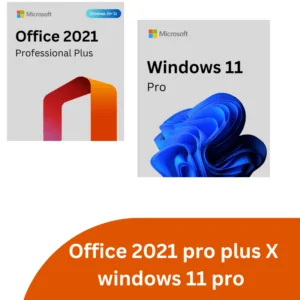
Office 2021 Pro plus X Windows 11 Pro (Special Offer)-Phone Keys
Buy Microsoft Office 2021 Key – Genuine Lifetime License for PC & Mac
Microsoft Office 2021 is a powerful, feature-rich productivity suite built for users who want a reliable, one-time purchase with no subscription required. Covering everything from word processing and spreadsheets to presentations, email management, and database tools, Office 2021 is trusted by home users, students, professionals, and enterprises worldwide. At Wincdkey, you can buy genuine Office 2021 keys for both PC and Mac at the cheapest available price — with instant email delivery and 24/7 expert support included.
Office 2021 Editions Available at Wincdkey
Office 2021 Professional Plus
Microsoft Office 2021 Professional Plus is the most comprehensive edition of Office 2021, designed for power users, IT professionals, and businesses. It includes the full application suite: Word, Excel, PowerPoint, Outlook, OneNote, Access, Publisher, Teams, and Skype for Business. Key upgrades over Office 2019 include XLOOKUP and dynamic arrays in Excel, improved co-authoring in Word and PowerPoint, and a refreshed dark mode across all apps. Available as a single PC key, in a 5-PC bundle, via Retail Online Activation, or via Retail Phone Activation for offline setups. Need Access or Publisher? Pro Plus is the edition for you — Home and Business and Standard editions do not include them.
Office 2021 Professional Plus LTSC
Office 2021 Pro Plus LTSC (Long-Term Servicing Channel) is the enterprise-grade perpetual license edition of Office 2021. LTSC is specifically designed for regulated industries, government environments, and organizations that require a fixed, stable software version without feature updates pushed by Microsoft. It provides the full Pro Plus application set with a guaranteed 5-year mainstream support lifecycle. Also available as an LTSC 3-Device license for small teams and a 50-PC LTSC volume license for large-scale enterprise deployments.
Office 2021 Standard
Microsoft Office 2021 Standard for Windows is a lighter, more affordable alternative to Pro Plus, covering the essential applications: Word, Excel, PowerPoint, Outlook, OneNote, and Publisher. It excludes Access and Skype for Business, making it an ideal fit for small businesses and individual professionals who don’t require database management tools. Also available as a 3-Device Standard license for teams needing to equip multiple workstations at a reduced per-seat cost.
Office 2021 Home and Business (Mac)
Microsoft Office 2021 Home and Business for Mac is the top choice for Mac users who need a full-featured, subscription-free productivity suite. It includes Word, Excel, PowerPoint, Outlook, and OneNote — all natively optimized for macOS, with full support for Apple Silicon (M1/M2/M3) chips. The key binds permanently to your Microsoft account for easy reinstallation. Looking to browse all Mac-compatible options? Visit our dedicated Office 2021 Mac category.
Office 2021 Home and Business (PC)
Microsoft Office 2021 Home and Business for PC delivers the core suite — Word, Excel, PowerPoint, Outlook, and OneNote — in a lifetime bind key format for Windows users. It’s an excellent option for home-based professionals, freelancers, and small business owners who want reliable productivity tools without a recurring subscription fee. Browse all PC-compatible options in our Office 2021 PC category.
Office 2021 Home and Student (PC)
Microsoft Office 2021 Home and Student for PC is the most affordable edition, including Word, Excel, PowerPoint, and OneNote. With no Outlook or Access, it’s purpose-built for students and home users who need the essentials for coursework, assignments, and personal productivity at the lowest possible cost.
What’s New in Microsoft Office 2021?
Office 2021 introduced a meaningful set of improvements over Office 2019, making it a compelling upgrade for both individuals and businesses:
- XLOOKUP in Excel: A modern replacement for VLOOKUP and HLOOKUP — more flexible, faster, and capable of searching in any direction across a range.
- Dynamic Arrays: Formulas that automatically spill results across multiple cells, including new functions like FILTER, SORT, UNIQUE, SEQUENCE, and RANDARRAY.
- LET Function in Excel: Assign names to calculation results within a formula, dramatically improving readability and performance in complex spreadsheets.
- Improved Co-Authoring: Real-time collaboration in Word, Excel, and PowerPoint with auto-save and version history for documents stored in OneDrive or SharePoint.
- Dark Mode Across All Apps: Full dark theme support in Word, Excel, PowerPoint, and Outlook — reducing eye strain during extended work sessions.
- New PowerPoint Features: Recording with camera, improved Presenter Coach, and new transition effects for more polished presentations.
- Improved Accessibility: Enhanced screen reader support, better keyboard navigation, and accessibility checker improvements across all Office apps.
- Teams Integration: Built-in Microsoft Teams access in Pro Plus and LTSC editions for chat, video calls, and collaboration without switching applications.
Key Applications in Microsoft Office 2021
Word 2021: Industry-leading word processing with real-time collaboration, rich formatting, pre-built templates, and smart editing suggestions. Explore standalone Word 2021 keys.
Excel 2021: The world’s most powerful spreadsheet tool, now enhanced with XLOOKUP, dynamic arrays, and the LET function — essential for data analysts, finance professionals, and anyone managing complex data. Browse standalone Excel 2021 keys.
PowerPoint 2021: Create professional-quality presentations with advanced animations, transitions, recording capabilities, and Presenter Coach for rehearsing with AI feedback.
Outlook 2021: A powerful email and calendar management tool with improved search, focused inbox, meeting scheduling, and task management. See standalone Outlook 2021 keys.
OneNote 2021: A flexible digital notebook for capturing notes, to-do lists, sketches, and research — synced across your devices and shareable with teammates.
Access 2021: A robust database management system for building, managing, and analyzing structured business data — available exclusively in Pro Plus and Professional editions.
Publisher 2021: Desktop publishing software for creating professional marketing materials, brochures, newsletters, and layouts — included in Standard, Pro Plus, and Professional editions (Windows only).
Office 2021 System Requirements
For Windows
- OS: Windows 10 or Windows 11 (64-bit recommended)
- Processor: 1.6 GHz dual-core or faster
- RAM: 4 GB (64-bit) / 2 GB (32-bit)
- Storage: 4 GB available disk space
- Display: 1280 × 768 resolution
- Graphics: DirectX 9 or later with WDDM 2.0 driver
- Other: Internet connection and Microsoft account required for activation
For Mac
- OS: macOS Monterey, Ventura, Sonoma, or Sequoia (current or two previous releases)
- Processor: Intel or Apple Silicon (M1/M2/M3) — fully native support
- RAM: 4 GB or more
- Storage: 10 GB available disk space
- Display: 1280 × 800 resolution
Office 2021 vs Office 2024 – Which Should You Choose?
Both are excellent perpetual-license suites with no subscription required. Office 2024 is the newer generation with additional Excel functions (14 more text/array functions), a refreshed Fluent Design interface, and improved mobile picture insertion — but it also comes at a slightly higher price point. Office 2021 remains a proven, fully supported suite that covers everything most users and businesses need, at a significantly lower cost. If budget is a priority and you don’t need cutting-edge features, Office 2021 is the smart choice. Need an even more affordable option from a previous generation? Browse our Office 2019 range.
Bundle & Save
Pair Office 2021 with a Windows license for maximum value. Our popular Office 2021 Pro Plus + Windows 11 Pro Bundle gives you both at an unbeatable combined price. Also available: Windows 10/11 Pro + Office 2021 Pro Plus Bundle for maximum flexibility. For large deployments, explore our Enterprise Licensing and B2B Wholesale options.
Why Buy Office 2021 from Wincdkey?
- ✅ 100% Genuine Keys — Authentic licenses verified by our Microsoft Partner status
- ✅ Instant Email Delivery — Your key arrives within minutes of completing payment
- ✅ Lowest Price Guaranteed — Save up to 90% vs. Microsoft Store retail pricing
- ✅ Lifetime License — One-time purchase, no subscription, no expiry date
- ✅ PC & Mac Options — Full range of editions covering both platforms
- ✅ Multiple Activation Methods — Online, Phone Activation, and LTSC options available
- ✅ Secure Checkout — Multiple encrypted, trusted payment methods available
- ✅ 24/7 Expert Support — Our team is always ready via the Help & Support Center
- ✅ Easy Activation — Step-by-step Installation & Activation Guide included
- ✅ Trusted by Thousands — Verified buyer reviews on Trustpilot
Frequently Asked Questions
Is Microsoft Office 2021 still supported?
Yes. Microsoft Office 2021 is in mainstream support until October 2026 and extended support until October 2028, making it a solid, future-proof investment for several more years.
What is the difference between Office 2021 Pro Plus and Office 2021 Standard?
Pro Plus includes the complete suite: Word, Excel, PowerPoint, Outlook, OneNote, Access, Publisher, Teams, and Skype for Business. Standard covers Word, Excel, PowerPoint, Outlook, OneNote, and Publisher — but excludes Access and Skype for Business. If you need database management with Access, choose Pro Plus.
What is the difference between Office 2021 and Office 2021 LTSC?
Both contain the same applications but LTSC (Long-Term Servicing Channel) is designed for enterprise and regulated environments. LTSC does not receive new features post-release, ensuring software stability over a fixed support lifecycle. Standard Office 2021 retail keys receive security updates throughout their support period.
Can I install Office 2021 on a Mac?
Yes. The Home and Business for Mac edition is fully compatible with macOS and natively supports Apple Silicon chips. Browse all options in our Office 2021 Mac section.
Can I activate Office 2021 without an internet connection?
Yes. Our Phone Activation keys allow you to activate Office 2021 offline via Microsoft’s automated phone system. Our Phone Activation CID Tool can also assist with the process.
Have more questions? Visit our FAQs page or reach out to our team anytime via the Help & Support Center.


