🖤 BLACK FRIDAY SALE: 50% OFF Windows & Office with BLACK26 + 30% OFF Autodesk with BK26 Shop the sale →


What Is a MAK Key? Multiple Activation Keys for Business Explained

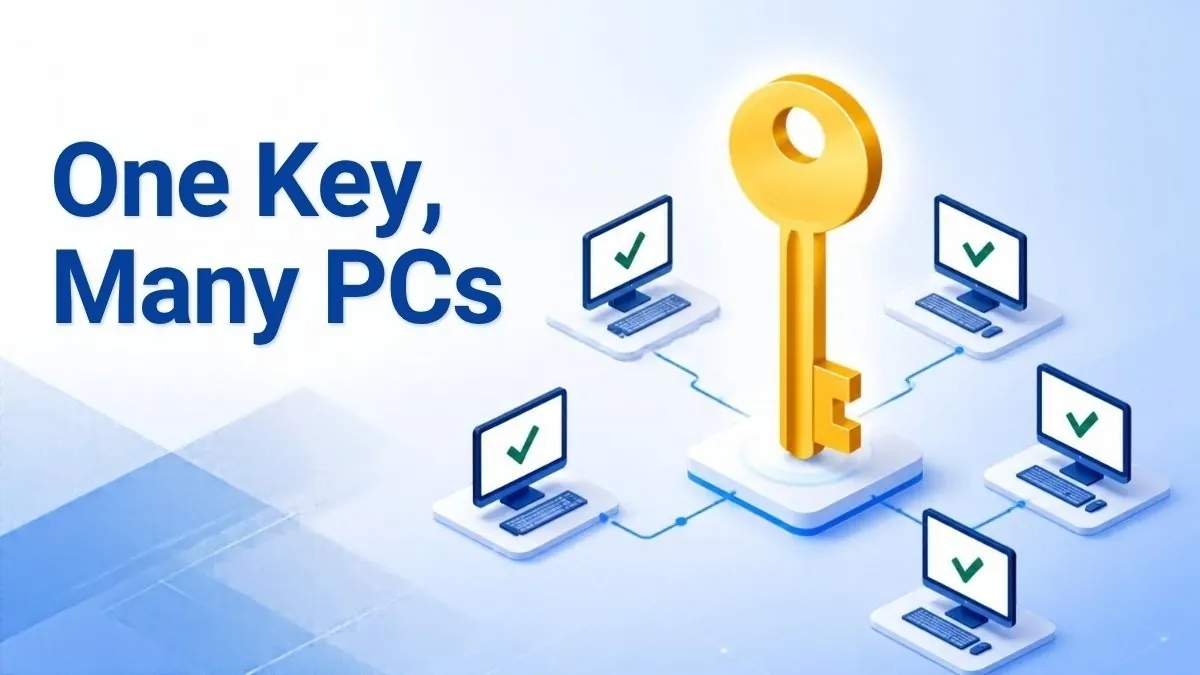
A MAK key (Multiple Activation Key) is a Microsoft volume licence product key that can activate a set number of Windows or Office installations. Each PC activates once with Microsoft’s servers, online, by phone or through a proxy tool, and then stays activated permanently. Businesses use MAK when they have too few PCs for KMS, or machines that rarely connect to the corporate network.
Key takeaways
- A MAK key activates a fixed number of devices, and each activation is a one-time, permanent check with Microsoft.
- KMS needs at least 25 Windows client PCs (or 5 servers) on the network and renews every 180 days. MAK has no minimum.
- MAK activation can be done independently on each PC, or centrally with VAMT proxy activation.
- Volume-licensed Windows desktop is installed on PCs that already have a qualifying licensed operating system, so check your existing licences before buying.
- Run
slmgr /dlvto see whether a PC uses a MAK, KMS, retail or OEM channel.
In this guide
What is a MAK key in Windows?
A MAK key is a 25-character volume licence product key that Microsoft issues to organisations to activate many copies of Windows or Office with one key. It behaves much like a retail key on each machine, but it carries an activation count rather than being limited to one device. When the count runs out, further activations fail until more are added.
Microsoft’s own volume activation planning guide puts it simply: “a MAK acts like a retail key, except that a MAK is valid for activating multiple computers. Each MAK can be used a specific number of times.” The number of activations is based on the licences the organisation bought, and remaining activations can be checked in the Volume Licensing Service Center or the Volume Activation Management Tool (VAMT).
MAK is one of three volume activation methods. The other two are Key Management Service (KMS) and Active Directory-based activation. All three sit in the volume channel, which is separate from the retail and OEM channels most home users buy from. Our guide to OEM vs retail vs volume Windows keys covers how those channels differ.
MAK vs retail key at a glance
Both activate once with Microsoft and stay activated. The difference is scale and management: a retail key covers one PC and can be moved, while a MAK covers many PCs and is managed centrally by an IT team. Microsoft’s slmgr documentation confirms that “MAK and retail activation is perpetual”, unlike KMS, which expires if it isn’t renewed.
How does MAK activation work?
MAK activation is a one-time check with Microsoft’s hosted activation service. You install the MAK on the PC, Windows sends an activation request, Microsoft deducts one activation from the key’s count and returns confirmation, and the PC is activated permanently. There is no renewal cycle, so the machine never needs to contact a local server again.
Microsoft describes two ways to do it:
- MAK independent activation: each computer connects and activates with Microsoft by itself, over the internet or by telephone. This suits laptops, remote workers and isolated sites.
- MAK proxy activation: VAMT installs the MAK on client PCs, collects each installation ID, sends them to Microsoft in one request, and then installs the returned confirmation IDs. It suits machines that are on the LAN but not allowed on the internet.
Phone activation uses the same installation ID and confirmation ID exchange as retail keys. If you have never done it, our explainer on confirmation IDs and phone activation walks through the process.
The cause-and-effect point worth understanding is that the count is drawn down by activations, not by installations. Reimaging the same PC and activating again can use another activation. That is why IT teams back up activation data with VAMT before rebuilding machines.

MAK vs KMS: which volume activation method fits?
Use KMS when you have at least 25 Windows client PCs (or 5 Windows Server machines) that connect to your network regularly. Use MAK when you are below that threshold, or when PCs rarely or never reach the corporate network. Many organisations use both: KMS for office desktops and MAK for remote laptops and isolated systems.
| Factor | MAK | KMS | Active Directory-based |
|---|---|---|---|
| Minimum PCs | None | 25 Windows clients or 5 servers | None (domain-joined only) |
| Contact with Microsoft | Once per activation (online, phone or VAMT proxy) | Only the KMS host activates with Microsoft | Only when the activation object is created |
| Ongoing renewal | None, permanent | Every 180 days; clients try every 7 days | Domain contact at least every 180 days |
| Key on each PC | The confidential MAK | A public Generic Volume Licence Key (GVLK) | A GVLK |
| Infrastructure needed | None (VAMT optional) | KMS host and DNS records | Active Directory Domain Services |
| Best for | Small fleets, remote or isolated PCs | Larger on-site networks | Domain-joined, supported Windows versions |
Microsoft’s guidance on activating Windows clients sets out the KMS rules. KMS activations are valid for 180 days, clients try to renew every seven days, and below the 25-client threshold KMS simply won’t activate anyone. That threshold is the main reason small businesses end up on MAK.
The trade-off runs the other way for security. A KMS client key is public, but a MAK is confidential. If it leaks, anyone can burn through your activation count, so treat it like a password.
How to install and activate a MAK key
To install a MAK key, open an elevated Command Prompt, run slmgr /ipk followed by the key, then run slmgr /ato to activate online. You can also enter it in Settings > System > Activation > Change product key. Check the result with slmgr /dlv, which should show a VOLUME_MAK channel.
- Confirm the installed edition matches the key, for example Windows 11 Pro, under Settings > System > About.
- Right-click Start and choose Terminal (Admin).
- Run
slmgr /ipk XXXXX-XXXXX-XXXXX-XXXXX-XXXXXwith your MAK. Windows replaces any existing key. - Run
slmgr /atoto activate online. - If online activation fails on a PC with no internet access, run
slmgr /dtito show the installation ID and activate by phone. Then enter the confirmation ID withslmgr /atpfollowed by the ID. - Run
slmgr /dlvand check that the description includes VOLUME_MAK channel and the licence status shows Licensed.
Microsoft’s slmgr.vbs options reference notes that installing a key and online activation both need an elevated prompt, and that a restart or a restart of the Software Protection service is advisable after changing keys. For a wider look at key changes, see our guide to changing the product key in Windows 11.
Useful slmgr commands for MAK
| Command | What it shows or does |
|---|---|
slmgr /ipk <key> |
Installs the MAK, replacing the current key |
slmgr /ato |
Activates online with Microsoft |
slmgr /dli |
Short licence summary, including channel and status |
slmgr /dlv |
Detailed licence information |
slmgr /xpr |
Expiry date; a MAK or retail licence reports it is permanently activated |
slmgr /dti and slmgr /atp <CID> |
Offline activation: show the installation ID, then apply the confirmation ID |
Who should use a MAK key, and who shouldn’t?
A MAK key suits small and mid-sized organisations with a volume licensing agreement, fewer than 25 PCs per site, or many laptops that work off the network. It suits poorly a single home user, who gains nothing from volume licensing and usually pays more for it. For one PC, a retail or OEM licence is simpler and cheaper.
There is also an eligibility point that catches people out. Microsoft’s Product Terms for the Windows desktop operating system state that Windows acquired through volume licensing “may only be installed or activated on devices licensed to run” a qualifying operating system. In practice, the PCs already need a licensed Windows edition such as Pro. Check your existing licences before planning a MAK rollout.
Signs MAK fits your situation:
- You manage roughly 5 to 25 business PCs and want one key and one record of activations.
- Some machines sit on air-gapped or restricted networks and can’t reach a KMS host every 180 days.
- You build PCs from a standard image and want to activate them as they are deployed.
Signs another option fits better: a single home PC (retail or OEM), a large on-site fleet (KMS or Active Directory-based activation), or a need for Enterprise-only features. Our comparison of Windows 11 Pro vs Enterprise vs Pro for Workstations covers the edition side of that decision.
Licensing several business PCs at once?
We supply a Windows 11 Pro MAK key for organisations activating multiple machines. Our business licensing team can confirm the activation count and eligibility before you order. For one or two PCs, Windows 11 Pro 5-PC retail keys are often simpler.
MAK activation problems and how to fix them
Most MAK failures come from three things: the key doesn’t match the installed edition, the key has used up its activations, or the PC can’t reach Microsoft’s activation servers. Run slmgr /dlv to confirm the edition and channel, then work through the table below. Phone activation with slmgr /dti resolves most connectivity problems.
| Error or symptom | Likely cause | What to do |
|---|---|---|
| 0xC004C008 | The key has reached its activation limit | Check remaining activations in VLSC or VAMT; ask Microsoft or your supplier about more |
| 0xC004F050 | The key isn’t valid for the installed edition | Confirm the edition (for example Pro, not Home) and re-enter the key |
| 0xC004C003 | The activation server rejected or blocked the key | Contact the issuer; don’t keep retrying the same key |
| 0x8007232B (DNS name does not exist) | A KMS client key (GVLK) is installed and no KMS host was found | Install your MAK with slmgr /ipk instead |
| No internet on the PC | Isolated network | Use phone activation or VAMT proxy activation |
The 0x8007232B case is the one we see most. A PC built from volume media ships with a public KMS client key, tries to find a KMS host that doesn’t exist, and fails. Installing the MAK fixes it in seconds. Our guides to error 0xC004C008 and error 0xc004f050 go into more detail.
A word of caution: never use unofficial KMS activators or activation scripts to get round a failed MAK. They are unsafe and breach Microsoft’s licence terms.
Frequently asked questions
What does MAK stand for?
MAK stands for Multiple Activation Key. It is a volume licence product key that Microsoft issues to organisations so one key can activate a set number of Windows or Office installations. Each activation is checked once with Microsoft and is then permanent, with no need to renew against a local server.
How many PCs can a MAK key activate?
It depends on the key. Microsoft sets each MAK’s activation count based on the number of licences the organisation bought, and the count drops by one with each successful activation. You can check what remains in the Volume Licensing Service Center or VAMT. Microsoft says the count can be increased by contacting it.
Does a MAK activation expire?
No. Microsoft’s slmgr documentation describes MAK and retail activation as perpetual. Once a PC has activated with a MAK, it stays activated even if it never connects again. This differs from KMS, where clients must renew with the KMS host at least every 180 days or they fall back to an unactivated state.
Can I use a MAK key on my home PC?
Technically a MAK can activate a single PC, but it is designed for organisations under a volume licensing agreement. Volume-licensed Windows also requires a qualifying licensed operating system on the device. For one home computer, a retail or OEM key is usually the more suitable and cheaper choice.
How do I check if Windows is activated with a MAK?
Open an elevated Command Prompt and run slmgr /dlv. The description line names the channel, such as VOLUME_MAK, VOLUME_KMSCLIENT, RETAIL or OEM, and the licence status shows whether Windows is licensed. slmgr /xpr will also report that the machine is permanently activated if MAK activation succeeded.
Is MAK better than KMS?
Neither is better in general. MAK suits fewer than 25 client PCs and machines that rarely reach the corporate network, because it needs no server and never expires. KMS suits larger on-site fleets, because there are no activation counts to manage. Many organisations run both, with KMS on the office network and MAK for remote devices.
The bottom line
A MAK key is the volume licensing option for organisations that are too small for KMS or have PCs that rarely connect. It activates each machine once, permanently, from a pool of activations you manage. If you’re still weighing up licence types, our guide to OEM, retail and volume keys is the best place to start.
Useful links
| Resource | Why it helps |
|---|---|
| Microsoft Learn: Plan for volume activation | Official definitions of MAK, KMS and Active Directory-based activation |
| Microsoft Learn: Activate Windows clients | KMS renewal intervals and MAK independent vs proxy activation |
| Microsoft Learn: slmgr.vbs options | Every slmgr switch and the permissions it needs |
| Microsoft Product Terms: Windows desktop OS | Qualifying operating system rules for volume licensing |
| OEM vs retail vs volume keys | How the three licence channels compare |
| Confirmation ID and phone activation | Activate a MAK on an offline PC |
| Windows 11 Pro MAK key | Volume activation for multiple business PCs |
| Enterprise bulk licensing | Talk to us about larger orders |


