



Buy Microsoft Office 2024 Key – Genuine Licenses at the Cheapest Price
Microsoft Office 2024 is the latest perpetual-license productivity suite from Microsoft — a one-time purchase with no subscription required. Packed with powerful applications including Word, Excel, PowerPoint, Outlook, and OneNote, Office 2024 is built for home users, students, professionals, and businesses who want the full power of Microsoft Office without a recurring fee. At Wincdkey, you can buy genuine Office 2024 keys for PC and Mac at a fraction of the official Microsoft Store price, with instant email delivery and 24/7 expert support.
Office 2024 Editions Available at Wincdkey
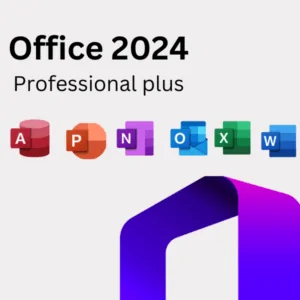
Office 2024 Professional Plus
Microsoft Office 2024 Professional Plus is the most complete edition of Office 2024, designed for power users and businesses. It includes the full suite: Word, Excel, PowerPoint, Outlook, OneNote, Access, Publisher, Teams, and Skype for Business. It also features advanced Excel capabilities with 14 new text and array functions, improved Outlook search, and a refreshed Fluent Design interface. Also available as a 3-Device license for teams, and via Phone Activation for offline setups.
Office 2024 Standard
Microsoft Office 2024 Standard (1 PC) is ideal for users who need the core Office applications — Word, Excel, PowerPoint, Outlook, and OneNote — without the advanced database and diagramming tools. A lighter and more affordable option than Pro Plus, it’s perfectly suited for SMBs and everyday business use. Also available as a 3-PC Standard license for small teams.
Office 2024 Home and Business (PC & Mac)
Microsoft Office 2024 Home and Business includes Word, Excel, PowerPoint, Outlook, and OneNote — everything a home user or small business owner needs for professional-quality work. Available as a bind key for both PC and Mac, it’s permanently linked to your Microsoft account for easy reinstallation. Also available as a Retail Online Activation version for PC if you prefer a retail key.
Office 2024 Home (PC & Mac)
Microsoft Office 2024 Home is the entry-level edition, including Word, Excel, PowerPoint, and OneNote — a clean, affordable package for students, families, and personal use. Available as bind keys for both PC and Mac. Also available as a Retail 1 PC key with online activation.
Office 2024 Professional (Windows)
Microsoft Office 2024 Professional for Windows offers the complete professional toolset including Access and Publisher alongside the core suite. This edition is ideal for business professionals who rely on database management and desktop publishing as part of their regular workflow.
What’s New in Microsoft Office 2024?
Office 2024 is not just a minor update — it brings meaningful improvements across the entire suite:
- New Fluent Design Theme: A refreshed visual experience with rounded corners, modern color icons, and an updated interface that looks great on both Windows 10 and Windows 11.
- 14 New Excel Functions: Includes TEXTBEFORE, TEXTAFTER, TEXTSPLIT, VSTACK, HSTACK, and more — making data manipulation faster and more flexible than ever.
- Faster Excel Workbooks: Significantly improved speed and stability when working with large, complex spreadsheets — no more lag on multiple simultaneous workbooks.
- Insert Picture from Mobile: Instantly insert photos from your smartphone directly into Word, Excel, or PowerPoint using the Linked Phone feature.
- Improved Outlook Search: Smarter, faster search across emails, attachments, contacts, and calendar events with predictive suggestions.
- Dynamic Arrays in Excel: Expanded support for array formulas that automatically spill results across multiple cells.
- Accessibility Improvements: Enhanced screen reader support, improved keyboard navigation, and better contrast modes across all applications.
Key Applications in Microsoft Office 2024
Word 2024: The industry-standard word processor for creating, editing, and sharing professional documents. Features real-time collaboration, rich formatting options, built-in templates, and improved accessibility tools. Explore standalone Word 2024 keys.
Excel 2024: The world’s most powerful spreadsheet application, now enhanced with 14 new functions, faster calculation engines, and improved array formula support. Browse standalone Excel 2024 keys.
PowerPoint 2024: Create compelling presentations with new transitions, animations, designer templates, and improved collaboration features for team presentations.
Outlook 2024: A smarter email and calendar manager with improved search, better meeting scheduling, and a refreshed interface. Explore Outlook 2024 keys.
OneNote 2024: A digital notebook for capturing ideas, meeting notes, research, and to-do lists — organized and accessible across all your devices.
Access 2024: A database management tool for creating, managing, and analyzing structured business data — available exclusively in Pro Plus and Professional editions.
Office 2024 System Requirements
For Windows
- OS: Windows 10 or Windows 11 (64-bit)
- Processor: 1.6 GHz dual-core or faster
- RAM: 4 GB or more
- Storage: 4 GB available disk space
- Display: 1280 × 768 resolution
- Graphics: DirectX 9 or later
- Other: Internet connection and Microsoft account required for activation
For Mac
- OS: Current or previous two macOS releases
- Processor: Intel or Apple Silicon (M1/M2/M3)
- RAM: 4 GB or more
- Storage: 10 GB available disk space
- Display: 1280 × 800 resolution
Office 2024 vs. Microsoft 365 – Which Should You Choose?
Office 2024 is a one-time purchase — you pay once and own it forever, with no monthly or annual fee. It’s ideal if you want stability, offline access, and a fixed cost. Microsoft 365 (formerly Office 365) is a subscription that includes cloud storage, regular feature updates, and multi-device access. If you prefer ownership over subscription, Office 2024 is the smarter long-term investment. Looking for a previous generation? Browse Office 2021 keys or Office 2019 keys for even greater savings.
Bundle & Save More
Pair your Office 2024 license with a Windows license for maximum value. Our Office 2024 Pro Plus + Windows 11 Pro Bundle gives you both in one discounted purchase. Need to equip multiple users? Check out our 10x Office 2024 Home and Business pack — perfect for teams and resellers. For large-scale needs, visit our Enterprise Licensing or B2B Wholesale pages.
Why Buy Office 2024 from Wincdkey?
- ✅ 100% Genuine Keys — Authentic licenses sourced from verified global distributors, verified as a Microsoft Partner
- ✅ Instant Email Delivery — Your license key arrives within minutes of payment
- ✅ Lowest Price Guarantee — Save up to 90% compared to official Microsoft Store pricing
- ✅ Works for PC & Mac — Full range of editions for both platforms
- ✅ Lifetime License — One-time payment, no recurring fees, no expiry
- ✅ Secure Payments — Multiple encrypted checkout options available
- ✅ 24/7 Expert Support — Get help anytime via our Help & Support Center
- ✅ Easy Activation — Follow our step-by-step Installation & Activation Guide
- ✅ Trusted by Thousands — Read real buyer reviews on Trustpilot
Frequently Asked Questions
Is Microsoft Office 2024 a one-time purchase?
Yes. All Office 2024 licenses sold at Wincdkey are perpetual — you pay once and use the software indefinitely with no subscription required.
What is the difference between Office 2024 Pro Plus and Office 2024 Standard?
Pro Plus includes the full suite: Word, Excel, PowerPoint, Outlook, OneNote, Access, Publisher, Teams, and Skype for Business. Standard includes the core apps (Word, Excel, PowerPoint, Outlook, OneNote) but excludes Access and Publisher.
Can I install Office 2024 on a Mac?
Yes. The Home and Business and Home editions are available for both PC and Mac. Pro Plus and Standard are Windows-only editions. Browse our Office 2024 Mac category for Mac-compatible options.
What happens if I need to reinstall Office 2024?
Bind keys are linked to your Microsoft account and can be reinstalled on the same device at any time. Retail keys can also be reactivated following Microsoft’s standard process. Our FAQs and Activation Guide cover the full process.
Do I need internet to use Office 2024?
An internet connection is required for initial activation and to link your Microsoft account, but once activated, the core desktop apps work fully offline.
Still unsure which edition is right for you? Our team is available 24/7 via the Help & Support Center to guide your decision.


