Microsoft Office 2024 Home and Business for PC is the essential productivity suite designed for home users, freelancers, entrepreneurs, and small business owners who want powerful desktop tools without an ongoing subscription. This retail online activation key gives you a genuine, lifetime license for Word, Excel, PowerPoint, Outlook, and OneNote — installed on one Windows PC, yours to keep forever. No monthly fees, no renewals, no compromises.
What’s Included in Office 2024 Home and Business for PC
This edition bundles five of Microsoft’s most-used desktop applications, each updated with the latest interface improvements and performance enhancements for Windows 10 and Windows 11:
- Word 2024 — Create professional documents with enhanced grammar tools, real-time co-authoring, and improved accessibility features for polished results every time.
- Excel 2024 — Analyse data faster with new functions including XLOOKUP, TEXTBEFORE, TEXTAFTER, and GROUPBY, along with smarter PivotTables and dynamic array support.
- PowerPoint 2024 — Build compelling presentations with new slide transitions, improved designer suggestions, and advanced presenter tools.
- Outlook 2024 — Manage your emails, calendar, and contacts with a streamlined interface optimised for both personal and commercial use.
- OneNote 2024 — Organise notes, ideas, and research in one digital notebook, synced via OneDrive for access anywhere.
Unlike the Microsoft 365 subscription, Office 2024 Home and Business is a one-time purchase. Pay once and use it for the lifetime of your device — support runs through October 2029.
Key Features & Benefits
- Retail Online Activation — Your 25-character product key activates directly through Microsoft’s official servers at setup.office.com, linking the license to your Microsoft account for security and recoverability.
- Genuine Microsoft License — Every key sold at WinCDKey is an authentic retail-grade Microsoft product key. Verify our Microsoft Partner status here.
- Commercial Use Rights — Unlike the Home & Student edition, Home and Business includes a commercial use licence, making it fully compliant for professional and business environments.
- Works Offline — All five applications run fully offline after initial installation and activation. An internet connection is only required periodically for updates and licence verification.
- Optimised for Modern Hardware — Designed for multi-core processors and solid-state drives, Office 2024 delivers noticeably faster load times and smoother performance on current Windows PCs.
- Dark Mode & Accessibility — Full dark mode support across all apps, plus built-in accessibility checker, alt-text suggestions, and improved screen reader compatibility.
- OneDrive Integration — Seamlessly save documents to the cloud and collaborate in real time with colleagues and clients.
- 32-bit & 64-bit Support — Compatible with both 32-bit and 64-bit versions of Windows 10 and Windows 11.
- Instant Digital Delivery — Your product key is emailed within 1–2 minutes of purchase, 24 hours a day, 7 days a week.
Who Is Office 2024 Home and Business For?
Office 2024 Home and Business for PC is the ideal choice for:
- Small business owners who need commercial use rights and a professional email client (Outlook) without paying recurring subscription fees.
- Freelancers and consultants who use Word, Excel, and Outlook daily for client communications, proposals, and invoicing.
- Home office workers looking for a reliable, offline-capable suite that doesn’t depend on an active subscription to function.
- Anyone experiencing subscription fatigue who wants to own their software outright.
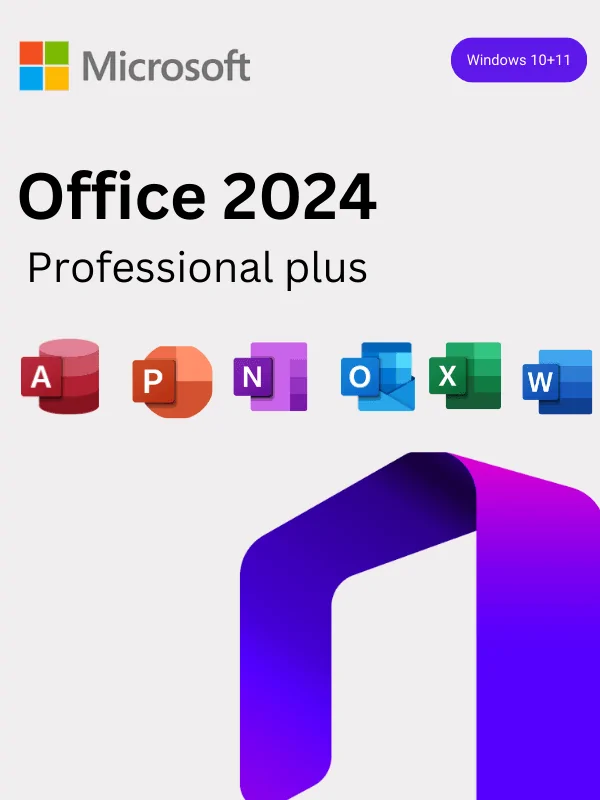
If you need Access or Publisher for more advanced database and publishing work, consider upgrading to Office 2024 Professional for Windows, which adds both applications to the suite.
System Requirements
- Operating System: Windows 10 (64-bit) or Windows 11
- Processor: 1.1 GHz dual-core or faster
- RAM: 4 GB (64-bit) minimum
- Storage: 4 GB available disk space
- Display: 1280 x 768 resolution
- Internet: Required for initial download and activation; not required for everyday use afterwards
- Microsoft Account: Required for product key redemption at setup.office.com
Note: This listing is for the PC (Windows) version only. If you need Office for Apple computers, see our Office 2024 Home and Business for PC & Mac edition.
How to Activate Office 2024 Home and Business (Step-by-Step)
- Complete your purchase — your product key will be emailed within 1–2 minutes.
- Visit setup.office.com and sign in with your Microsoft account (or create a free account).
- Enter your 25-character product key exactly as shown in your email.
- Follow the on-screen instructions to download and install Office 2024.
- Open any Office application (e.g., Word) and sign in to complete activation.
Need help? Our team provides lifetime activation support at no extra cost. Visit our Help & Support Centre or read our full Installation & Activation Guide.
Why Buy from WinCDKey?
- ⚡ Instant Key Delivery — Receive your licence key by email within minutes of checkout, every day of the year.
- ✅ Official Microsoft Partner — We are a verified Microsoft Partner. Check our partner profile here.
- 🛡️ Lifetime Support — Stuck on activation? Our expert support team is always available to assist.
- 💳 No Subscription — Buy once, use forever. No hidden renewals or auto-billing.
- 🔒 Secure Checkout — Encrypted payment processing for your peace of mind.
- ⭐ Trusted by Thousands — Read genuine customer reviews on our Trustpilot page.
You Might Also Be Interested In
Frequently Asked Questions
Is Office 2024 Home and Business a one-time purchase?
Yes. This is a perpetual, lifetime licence. You make a single payment and use the software on one Windows PC for as long as you like, with no recurring subscription fees. Microsoft support runs through October 2029.
Can I use this for my business?
Yes. Office 2024 Home and Business includes commercial use rights, making it fully licensed for use in a professional or business setting — unlike the Home and Student edition.
Does it include Outlook?
Yes. Outlook 2024 is included, along with Word, Excel, PowerPoint, and OneNote.
How quickly will I receive my product key?
Your key is delivered by email within 1–2 minutes of a successful payment, 24/7, including weekends and holidays.
What’s the difference between this and Office 2024 Pro Plus?
Office 2024 Home and Business includes five core apps (Word, Excel, PowerPoint, Outlook, OneNote). Office 2024 Professional Plus adds Access and Publisher, and is available for volume deployments. If you need those extra apps, Professional Plus is the recommended upgrade.
Do I need an internet connection to use Office 2024?
Internet access is only required for the initial download, activation, and periodic updates. Once installed and activated, all Office 2024 apps work fully offline.
Can I install this on more than one PC?
This licence covers one PC only. For multi-device installs, see our Office 2024 Professional Plus for 3 Devices option.
Is this compatible with Windows 11?
Yes. Office 2024 Home and Business is fully compatible with Windows 10 (64-bit) and Windows 11. For more information, check our Installation & Activation Guide.
Refunds
Once a purchased software package has been activated or an activation has been attempted through an online activation site, the package becomes none refundable But in serious matters, we can refund on Wincdkey wallet. So you can use every product. We cannot add the software package to our stock if an activation has been completed or attempted.
We cannot issue a refund if a customer has purchased the wrong product. Rather then we can change it if he not try to active it
Example: A customer purchases a Windows software package for a Mac machine.
Exchanges
Microsoft Softwares will exchange software purchases for up to 30 days after order completion but only if the software has not been downloaded by the customer, you can also return your purchased software within 30 days if the software remains none downloaded for a full refund.
Redemption or Activation:
After purchasing keys, you will get a voucher code which is needed to redeem. this voucher code have a lifetime validity but once redeem it then you need to activate your windows or office within 7 working days.
Refund process
Refunds will be credited back to the credit/debit card that customers used to place their order, refunds are processed from our platform immediately the time taken to credit to the customer depends entirely on the customers card issuer and/or bank account.
How to initiate a Refund/Exchange
For any refund or exchange please open a create a refund or exchange request ticket here.