🖤 BLACK FRIDAY SALE: 50% OFF Windows & Office with BLACK26 + 30% OFF Autodesk with BK26 Shop the sale →


Microsoft Access vs Excel: When Do You Need a Database?

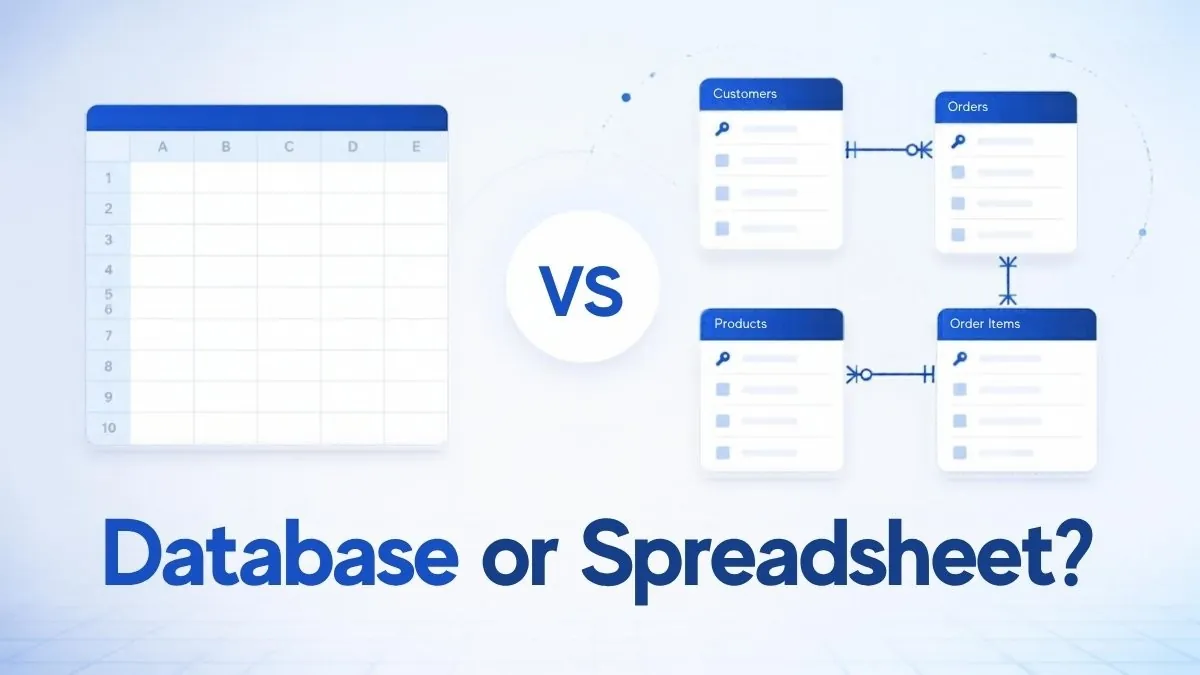
In the Access vs Excel choice, Excel is a spreadsheet built for calculating, analysing and charting data, while Access is a relational database built for storing related records, enforcing rules and letting several people enter data through forms. Use Excel for numbers and analysis; move to Access when your data spans linked tables or several people edit it.
Key takeaways
- Excel is the better tool for calculations, what-if analysis, charts and one-off lists.
- Access is the better tool when data is relational (customers, orders, products), needs validation, or is entered by several people.
- Repeated copy-and-paste between sheets, duplicated customer details and broken VLOOKUPs are the usual signs a spreadsheet should become a database.
- Access is Windows-only. It is in Office Professional Plus 2024, Microsoft 365 Personal and Family (PC), and is sold on its own as Access 2024.
In this guide
Access vs Excel at a glance
Excel and Access overlap because both store data in rows and columns, but they are designed for different jobs. The table below compares them on the points that usually decide the choice, using limits from Microsoft’s published specifications for current versions.
| Feature | Microsoft Excel | Microsoft Access |
|---|---|---|
| Type of tool | Spreadsheet | Relational database |
| Best at | Calculations, analysis, charts, modelling | Storing related records, data entry, reporting |
| Data structure | Flat sheets; relationships by lookup formulas | Linked tables with primary and foreign keys |
| Capacity | 1,048,576 rows by 16,384 columns per sheet | 2 GB per database file; 255 fields per table |
| Multiple users | Co-authoring via OneDrive/SharePoint; best for small teams editing a shared file | Up to 255 concurrent users per database (in practice far fewer for good performance) |
| Data validation | Cell-level rules, easily bypassed by pasting | Field types, required fields, validation rules and referential integrity |
| Data entry | Directly in cells | Forms that guide users and hide the tables |
| Querying | Filters, PivotTables, formulas, Power Query | Queries (including SQL) across many tables |
| Learning curve | Low for basics | Moderate; needs some database design |
| Platforms | Windows, Mac, web, mobile | Windows PC only |
What is the difference between a database and a spreadsheet?
A spreadsheet stores data and calculations together in a grid, so each sheet is self-contained and flexible. A database stores data in separate tables linked by keys, keeping each fact in one place and enforcing rules on what can be entered. Spreadsheets favour flexibility; databases favour consistency and scale.
The practical difference shows up with repeated information. In a spreadsheet of orders, a customer’s address is typed on every row. When the customer moves, you must find and fix every copy, and one missed row creates conflicting data.
In a database, the address lives once in a Customers table. Each order simply refers to the customer’s ID, so updating the address once updates it everywhere. This idea, called normalisation, is the main reason databases stay accurate as they grow.
Key database terms in plain English
- Table: a list of one kind of thing, such as Customers or Orders.
- Record: one row in a table, such as one customer.
- Field: one column, such as Email, with a fixed data type.
- Primary key: a unique ID for each record.
- Relationship: a link between tables, for example each order belonging to one customer.
- Referential integrity: a rule that stops you creating an order for a customer who does not exist, or deleting a customer who still has orders.

When should you use Excel?
Use Excel when the main job is working with numbers: budgets, forecasts, financial models, analysis of exported data, charts and quick lists. Excel is faster to set up, easier for most people to read, and better at calculations and visualisation than Access. If one person owns the file and the data fits on a few sheets, Excel is usually the right choice.
Excel is the stronger tool for:
- Budgets, cash-flow forecasts and what-if scenarios.
- Analysing data exported from another system with PivotTables and charts.
- Small lists such as a stock count, a contact list or a project tracker.
- Sharing results with people who do not have Access, including Mac and mobile users.
Modern Excel also handles more than many people realise. Lookup functions such as XLOOKUP join data between sheets; our XLOOKUP guide shows how. Power Query can clean and combine imported data without formulas. For beginners, our Excel formulas for beginners guide is a good place to start.
If you only need the spreadsheet, Excel 2024 for Windows is available as a standalone one-time purchase.
When do you need Access instead of Excel?
You need Access when your data is relational, must stay consistent, or is entered by several people. Typical signs are customer details duplicated across rows, several sheets linked by fragile lookups, users overwriting each other’s changes, or a workbook that has become slow and hard to trust. Access fixes these by storing each fact once and controlling how data is entered.
Warning signs that a spreadsheet has outgrown itself:
- The same customer, product or supplier details appear on many rows and fall out of step.
- You maintain several sheets joined by lookup formulas that break when someone inserts a column.
- Several people need to add records at the same time.
- Staff keep entering data in the wrong format, such as text in a date column.
- You need the same report, such as monthly orders by customer, again and again.
- You want a simple data-entry screen for colleagues who should not see or edit the whole dataset.
Common Access uses in small businesses include customer and order tracking, inventory, asset registers, membership lists, job and service records, and simple invoicing. Our article on what Microsoft Access is used for gives more examples.
Where Access reaches its limits
Microsoft’s Access specifications set a 2 GB limit per database file. Larger or heavily used systems usually keep their tables in SQL Server and use Access as the front end for forms and reports. Access also does not run on Mac, and browser-based Access web apps are no longer offered, so a cloud-first or Mac-based team may be better served by another platform.
Can you use Access and Excel together?
Yes, and many businesses do. A common pattern is to store and maintain data in Access, then export it or link to it from Excel for analysis and charts. Access can import Excel sheets as tables or link to them directly, and Excel can pull Access tables and queries in through Data > Get Data.
- Import Excel into Access: in Access, go to External Data > New Data Source > From File > Excel, choose the workbook and follow the wizard to create a new table.
- Link instead of import: choose the link option in the same wizard if the sheet must stay in Excel. Access sees changes, but you cannot edit the linked data from Access.
- Export Access to Excel: select a table or query and choose External Data > Export > Excel.
- Connect Excel to Access: in Excel, use Data > Get Data > From Database > From Microsoft Access Database to load a table or query that can be refreshed.
Before importing a spreadsheet, tidy it: one header row, one type of data per column, no merged cells and no subtotal rows. Those spreadsheet habits are the most common reason imports fail.
How to get Microsoft Access 2024
Access 2024 is a Windows-only application available three ways: as standalone Access 2024, as part of Office Professional Plus 2024, or with a Microsoft 365 Personal or Family subscription on a PC. It is not included in Office Home 2024 or Office Home & Business 2024.
| Option | Includes Access? | Licence type |
|---|---|---|
| Access 2024 (standalone) | Yes | One-time purchase, one PC |
| Office Professional Plus 2024 | Yes, with Word, Excel, PowerPoint, Outlook and more | One-time purchase |
| Office Home & Business 2024 | No | One-time purchase |
| Office Home 2024 | No | One-time purchase |
| Microsoft 365 Personal / Family | Yes, on Windows PCs | Subscription |
For a full comparison of perpetual and subscription Office, see Microsoft 365 vs Office 2024.
Outgrown your spreadsheet?
If you already have Excel and only need the database, Microsoft Access 2024 is a one-time purchase for a Windows PC. If you need the full suite as well, Office 2024 Professional Plus includes Access alongside Word, Excel, PowerPoint and Outlook.
Frequently asked questions
Is Access harder to learn than Excel?
Access takes longer to learn because you need to plan tables, fields and relationships before entering data. Most Excel users can build a simple Access database with the templates and wizards in a day or two. Designing a well-structured database for a growing business benefits from some reading or training on database basics.
Can Excel be used as a database?
Excel can work as a simple flat-file database for small lists, especially with Tables, filters and XLOOKUP. It becomes unreliable when data is relational, several people edit at once, or strict validation is needed. Beyond that point, a proper database such as Access or SQL Server keeps data accurate.
Is Microsoft Access still supported in 2026?
Yes. Access 2024 is a current Microsoft product and Access is included in Microsoft 365 Personal and Family subscriptions on Windows. Access web apps were retired, but the desktop application continues to receive updates. Check Microsoft’s lifecycle pages for the exact support end date of the version you buy.
How many users can use an Access database at once?
Microsoft’s specification allows up to 255 concurrent users per Access database. In practice, performance is best with a small team, typically a handful to a few dozen users on a reliable local network. Splitting the database into a shared back end and individual front ends improves stability for multi-user setups.
Does Access work on a Mac?
No. Microsoft has never released Access for macOS, and Microsoft 365 lists it as PC only. Mac users can run Windows and Access in a virtual machine, use Excel for simpler data tasks, or choose a cross-platform database tool. Access databases can still be shared with Mac users by exporting data to Excel.
Which is better for inventory, Access or Excel?
For a small stock list maintained by one person, Excel is quicker to set up. For inventory linked to suppliers, purchase orders and sales, with several people updating stock, Access is the better fit because it keeps one record per product and prevents conflicting edits and invalid entries.
The bottom line
Choose Excel for analysis and calculation, and Access when your data is relational, shared or needs firm rules. Many teams end up using both: Access to store and protect the data, Excel to analyse it. To see how far the spreadsheet can take you first, read our Microsoft Excel overview.
Useful links
| Resource | Why it helps |
|---|---|
| Microsoft Access 2024 | Standalone database licence for Windows |
| Office 2024 Professional Plus | Full suite that includes Access |
| Excel 2024 for Windows | Standalone spreadsheet licence |
| What is Microsoft Access used for | More real-world Access examples |
| XLOOKUP in Excel | Join data between sheets |
| Excel formulas for beginners | Core spreadsheet skills |
| Microsoft 365 vs Office 2024 | Subscription vs one-time purchase |
| Microsoft Excel overview | What Excel can do |
| Microsoft: Access specifications | Official database size and user limits |
| Microsoft: Excel specifications and limits | Official worksheet limits |


