🎃 HALLOWEEN SALE: 50% OFF best-selling Windows, Office, Autodesk & Server keys — use code GHOST50 Shop the sale →


What Is Microsoft Access Used For? Access 2024 Explained

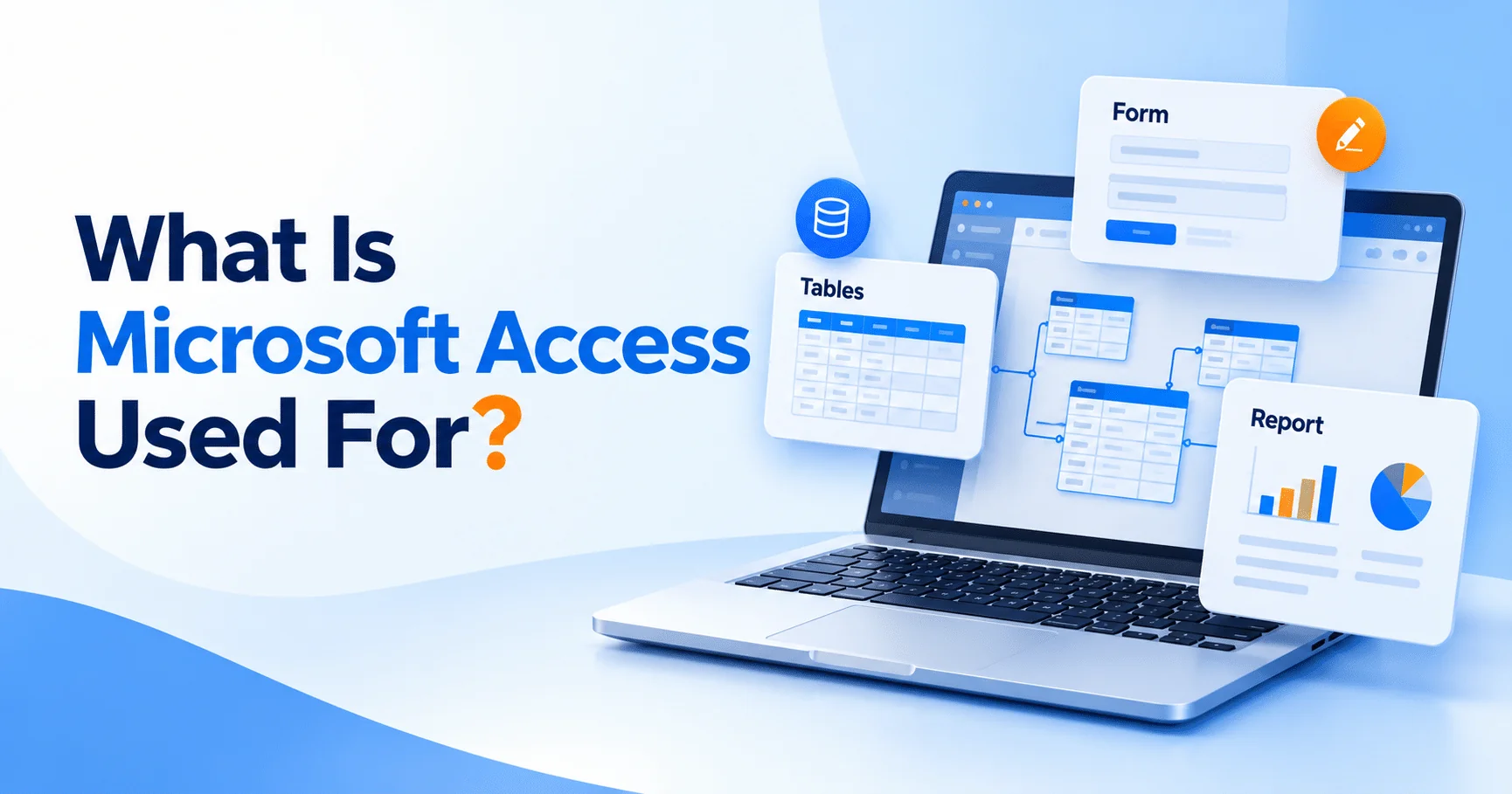
What is Microsoft Access used for? Mainly building small relational databases on Windows: storing records in linked tables, then searching, entering and reporting on that data through queries, forms and reports. People use it for customer lists, inventory, bookings, asset registers and other business data that has outgrown a spreadsheet but does not need a full server database.
Key takeaways
- Access combines a database engine with tools for building data-entry forms and printable reports, no coding required.
- Choose Access over Excel when data lives in several related lists, several people enter records, or you need consistent validation.
- Access is Windows only. There is no Mac version.
- Access 2024 is available as a one-time purchase, in Office 2024 Professional Plus, and in several Microsoft 365 plans.
- Each Access database file is limited to 2 GB, so large or heavily shared systems move to SQL Server or Dataverse.
In this guide
- What is Microsoft Access used for?
- What are the main parts of an Access database?
- Access vs Excel: what is the difference?
- Who actually needs Microsoft Access?
- What is new in Microsoft Access 2024?
- How do you get Access 2024, and which plans include it?
- Frequently asked questions
- The bottom line
- Useful links
What is Microsoft Access used for?
Microsoft Access is used to create desktop database applications: it stores data in related tables and gives you tools to enter, search, analyse and print it. It suits small teams and individuals who need structured records, such as clients, orders, stock or equipment, with less effort than building a full database system.
The key word is relational. Instead of one huge sheet where a customer’s address is repeated on every order, Access keeps customers in one table and orders in another, linked by a customer ID. Change the address once and every order shows the new one.
Typical uses we hear about from customers include:
- Customer and contact management for small firms that do not want a monthly CRM subscription.
- Inventory and stock control, with forms for goods in and out and reports of low stock.
- Bookings, membership and course records for clubs, schools and training providers.
- Asset and equipment registers, such as IT hardware, vehicles or tools, with service dates.
- Data clean-up and reporting, where analysts import exports from other systems, join them and run repeatable queries.
- Front ends for bigger databases, where Access forms and reports sit on top of tables stored in SQL Server.
What are the main parts of an Access database?
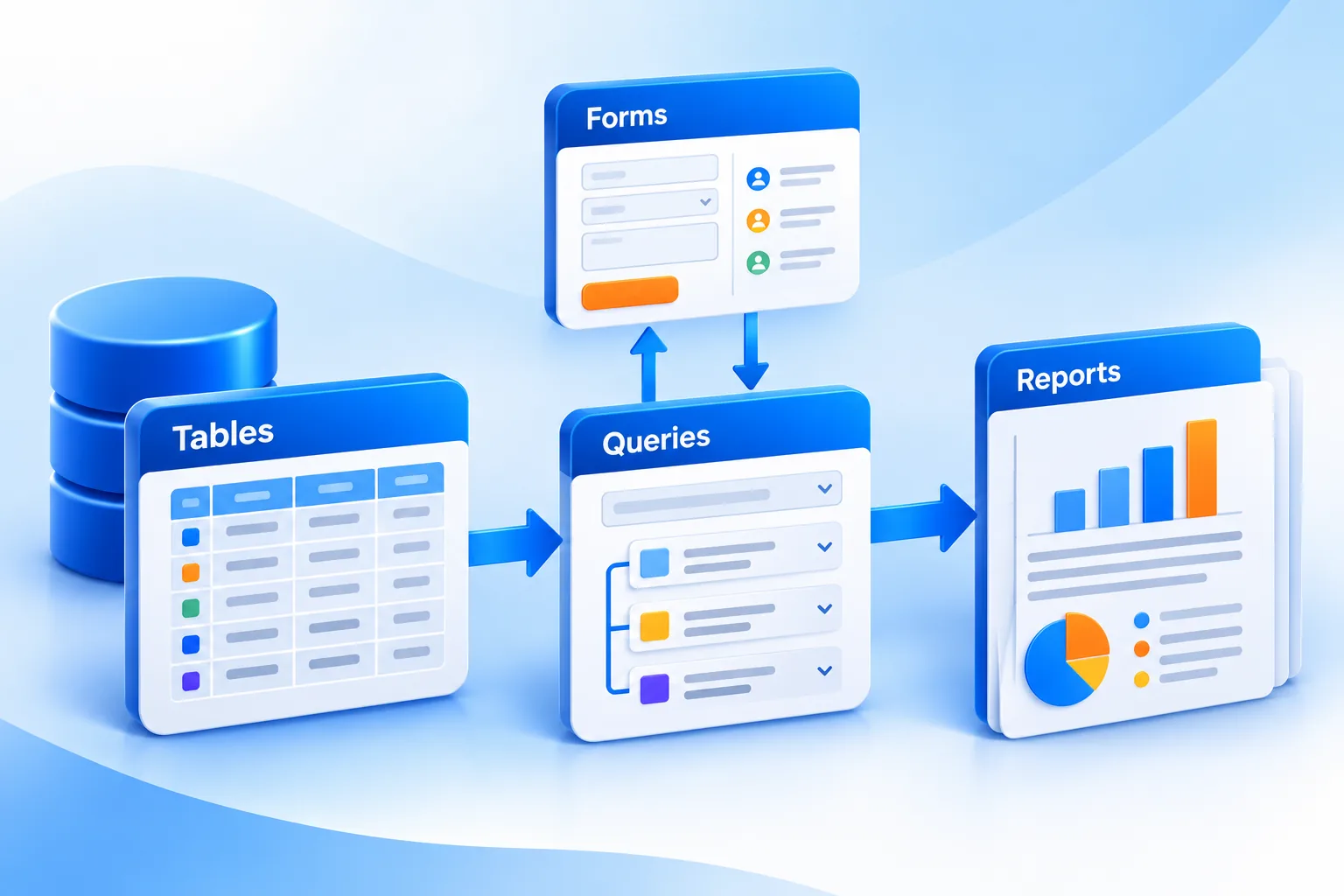
An Access database is built from four main objects: tables store the data, queries pull out and combine it, forms are the screens people use to enter and view records, and reports format the data for printing or PDF. Macros and VBA code add automation when you need it.
| Object | What it does | Example |
|---|---|---|
| Table | Stores records in fields with set data types | Customers, Orders, Products |
| Relationship | Links tables by a shared key | Each order belongs to one customer |
| Query | Finds, filters, joins or updates data | All unpaid orders over £500 this month |
| Form | A data-entry and viewing screen | New order form with a customer drop-down |
| Report | Formatted output for print or PDF | Monthly sales by region, invoices, labels |
| Macro / VBA | Automates tasks and adds logic | Email a report every Friday, validate entries |
Everything sits in one .accdb file. For shared use, the common pattern is to split the database: tables go in a “back end” file on a shared drive, and each user opens a “front end” copy with the forms and reports.
Access vs Excel: what is the difference?
Excel is a spreadsheet for calculating, modelling and charting data in a grid. Access is a database for storing many related records reliably, with rules about what can be entered and tools to build forms and reports. If you mainly calculate, use Excel; if you mainly record and look things up, Access usually fits better.
| Question | Excel | Access |
|---|---|---|
| Best at | Calculations, what-if models, charts | Storing and relating records |
| Data structure | Flexible grid, any cell can hold anything | Tables with fixed fields and data types |
| Several related lists | Possible with lookups, gets fragile | Built in through relationships |
| Multiple people entering data | Co-authoring works best via OneDrive or SharePoint | Designed for multi-user record entry on a network |
| Data validation | Optional, easy to bypass | Enforced by field types, rules and forms |
| Learning curve | Lower | Higher: needs some database design |
| Platforms | Windows, Mac, web, mobile | Windows desktop only |
| Size limit | 1,048,576 rows per sheet | 2 GB per database file |
The two work well together. Many people keep the data in Access and export query results to Excel for charts and pivot tables. If you are still building your spreadsheet skills, our guide to Excel formulas for beginners is a good companion, and Excel 2024 is available on its own if that is all you need.
Signs you have outgrown Excel
- You copy the same customer or product details into several sheets.
- Different people type the same thing different ways, breaking your formulas.
- You rely on long chains of
XLOOKUPorVLOOKUPbetween sheets to tie data together. - You need a simple data-entry screen for colleagues who should not touch the raw sheet.
Who actually needs Microsoft Access?
Access suits small businesses, departments and power users on Windows who need a custom database without hiring a developer: an office manager tracking equipment, an analyst joining monthly exports, or a small firm running orders and invoices. It is less suited to public web apps, Mac users or systems with many simultaneous users.
Access is a good fit if you
- Work on Windows and want a database you can build and change yourself.
- Have a small team, typically a handful of people, entering data on a shared network.
- Need repeatable queries and printed reports, such as invoices, labels or monthly summaries.
- Already maintain an Access database at work and need a licence to keep it running.
Look elsewhere if you
- Use a Mac. Microsoft states that Access is available for PC only.
- Need browser or mobile access. Access web apps in SharePoint were retired. Microsoft now points cloud and mobile scenarios towards Power Apps and Dataverse.
- Expect large data or many users. Microsoft’s Access specifications list a 2 GB limit per database file. Growing systems often keep Access forms but move the tables to SQL Server.
What is new in Microsoft Access 2024?
Access 2024 is an incremental update. It adds a Dataverse connector, a Microsoft Edge-based browser control for forms, larger memory headroom for the 32-bit version, VBA code signing, quicker SQL View access, and higher limits for open tables and connections. Existing databases from Access 2016 to 2021 open as normal.
- Dataverse connector: connect Access to Microsoft Dataverse and the Power Platform, which opens up mobile and Teams scenarios with cloud storage.
- Edge browser control: display web pages inside a form using the modern Microsoft Edge engine.
- Large Address Aware: 32-bit Access can use up to 4 GB of memory on 64-bit Windows, up from 2 GB. The 2 GB database file limit is unchanged.
- Code signing: the VBA editor includes a digital signature option, helpful where Trust Center settings block unsigned macros.
- SQL View from the Navigation Pane: right-click a query to open its SQL directly.
- Higher limits: up to 4,096 open tables (from 2,048) and 512 connections (from 256).
The full list is on Microsoft’s What’s new in Access 2024 page. Note that the one-time purchase does not include Copilot features, which are tied to Microsoft 365 subscriptions.
How do you get Access 2024, and which plans include it?
You can get Access 2024 as a standalone one-time purchase, as part of Office 2024 Professional Plus or Office LTSC Professional Plus 2024, or through Microsoft 365 plans including Personal, Family, Premium, Business Standard and Business Premium. Office Home 2024 and Office Home & Business 2024 do not include it.
| Option | Includes Access? | Licence type |
|---|---|---|
| Access 2024 standalone | Yes | One-time purchase, one Windows PC |
| Office 2024 Professional Plus / LTSC Professional Plus 2024 | Yes | One-time purchase (LTSC is volume licensed) |
| Office Home 2024 / Home & Business 2024 | No | One-time purchase |
| Microsoft 365 Personal, Family, Premium | Yes (PC only) | Subscription |
| Microsoft 365 Business Standard, Business Premium | Yes (PC only) | Subscription |
| Microsoft 365 Business Basic | No (web and mobile apps only) | Subscription |
Access 2024 is supported until 9 October 2029 under Microsoft’s lifecycle policy. If you still run Access 2021, note that it reaches end of support on 13 October 2026, as covered in our Office 2021 end of support guide.
Not sure whether to buy once or subscribe? Our comparison of Microsoft 365 vs Office 2024 sets out the trade-offs. In short, buy standalone if Access is the only app you are missing; choose Office 2024 Professional Plus if you also need Word, Excel, PowerPoint and Outlook; and subscribe to Microsoft 365 Personal if you want the latest version, cloud storage and Mac or mobile apps alongside Access on your PC.
Only need Access?
Microsoft Access 2024 is a one-time purchase for one Windows PC, with no subscription. If you need the full suite, compare our Office 2024 range.
Frequently asked questions
Is Microsoft Access still used in 2026?
Yes. Access remains part of Microsoft 365 and has a current one-time release, Access 2024, supported until October 2029. Many small businesses and departments still run Access databases for records, inventory and reporting, often alongside Excel or with tables stored in SQL Server. Microsoft has not announced its retirement.
Is Microsoft Access available on Mac?
No. Microsoft states that Access is available for PC only, and Office LTSC 2024 documentation confirms it is not available on macOS. Mac users who need an Access database can run Windows in a virtual machine, or consider alternatives such as Excel, FileMaker or Power Apps with Dataverse.
Is Access included in Microsoft 365?
Yes, in several plans. Microsoft 365 Personal, Family and Premium include Access on Windows PCs, as do Microsoft 365 Business Standard and Business Premium. Microsoft 365 Business Basic does not include desktop apps, so it has no Access. Check your plan’s app list if you are unsure.
Is Access harder to learn than Excel?
Generally, yes. Excel lets you start typing straight away, while Access asks you to plan tables, fields and relationships first. Basic tables, queries and forms can be learned in a few days, and Access includes templates and wizards. Advanced automation with VBA takes longer.
How many users can use an Access database at once?
Microsoft’s specifications list a limit of 255 concurrent users, but real-world performance usually suffers well before that. Access works best for small teams on a reliable local network, with the database split into a shared back end and individual front ends. Larger teams usually move the data to SQL Server.
Can I buy Access without the rest of Office?
Yes. Access 2024 is sold as a standalone one-time purchase for a single Windows PC. This suits people who already have Word and Excel, for example through Office Home 2024, and only need Access. Access is also included in Office 2024 Professional Plus and several Microsoft 365 plans.
The bottom line
Microsoft Access is for people who need a proper database on Windows without building one from scratch: related tables, reliable data entry, repeatable queries and printed reports. If Excel has started to creak under your records, it is worth a look. You can get Microsoft Access 2024 as a standalone licence.
Useful links
| Resource | Why it helps |
|---|---|
| Microsoft: What’s new in Access 2024 | Official list of Access 2024 changes |
| Microsoft: Access specifications | File size, user and object limits |
| Microsoft Access product page | Confirms PC-only availability and purchase options |
| Microsoft Access 2024 | Standalone one-time licence for one PC |
| Office 2024 Professional Plus | Full suite including Access |
| Microsoft 365 Personal | Subscription that includes Access on PC |
| Excel 2024 | If a spreadsheet is all you need |
| SQL Server | Where growing Access databases move their data |
| Office 2021 end of support | Why Access 2021 users should plan an upgrade |
| Microsoft 365 vs Office 2024 | Subscription or one-time purchase |
| Excel formulas for beginners | Build the Excel skills that pair with Access |


