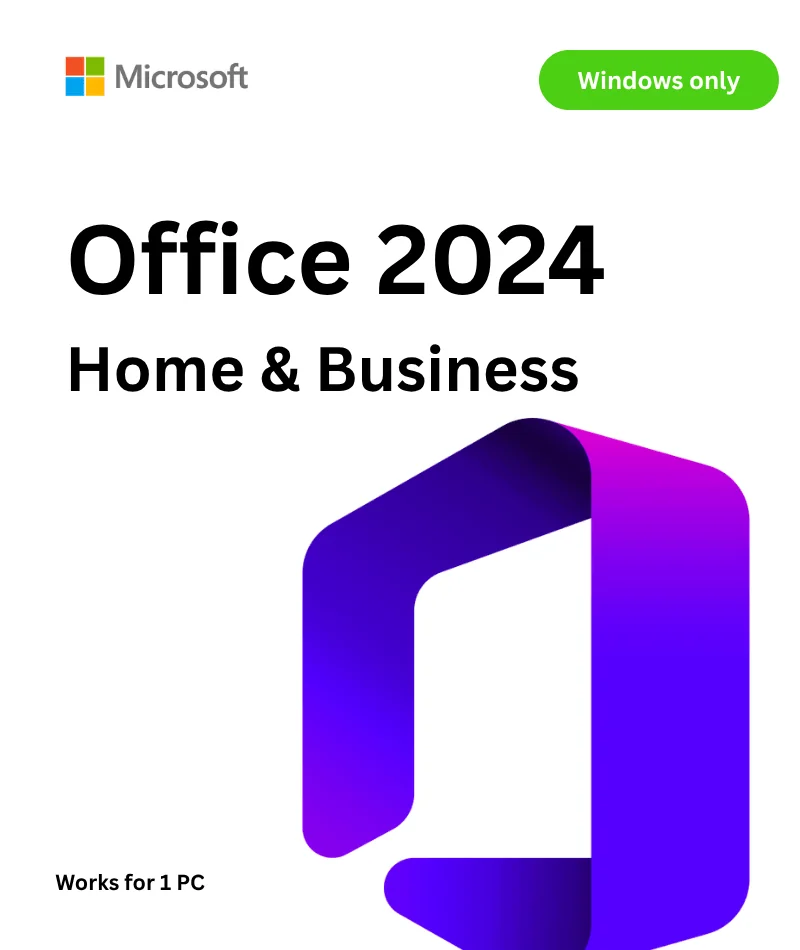
Microsoft Office 2024 Home & Business for PC
The complete productivity suite for home users and small businesses — with a one-time purchase and no recurring subscription. Classic apps, modern AI features, faster performance, and a lifetime license.
⚡ Instant Digital Delivery
🔑 Genuine License Key
🔒 One-Time Purchase
🛠️ Lifetime Support
💻 PC / Windows Only
What Is Microsoft Office 2024 Home & Business?
Microsoft Office 2024 Home and Business is the latest perpetual-license version of the world's most trusted productivity software. Unlike Microsoft 365, this is a one-time purchase — you buy it once, you own it forever. No monthly fees, no annual renewals, no surprises on your credit card statement.
Designed for home users and small-business professionals alike, this version includes the four core Office apps — Word, Excel, PowerPoint, and Outlook — plus Microsoft Teams (desktop app). It installs locally on your Windows PC and works fully offline, ensuring you stay productive whether or not you have an internet connection.
Office 2024 is built on the same modern codebase as Microsoft 365, bringing you a refined interface, improved performance, new collaboration tools, and several AI-assisted features — all without committing to a subscription.
Apps Included in This Edition
Every app below installs directly on your Windows PC. No cloud dependency for day-to-day use.
📝 Microsoft Word 2024
Create polished documents, reports, and letters with improved formatting tools, better co-authoring features, and enhanced accessibility checker.
📊 Microsoft Excel 2024
Build powerful spreadsheets with new functions (GROUPBY, PIVOTBY), dynamic array improvements, and smarter data analysis capabilities.
📽️ Microsoft PowerPoint 2024
Design stunning presentations with refined design tools, smoother animations, and new slide transition effects that engage any audience.
📧 Microsoft Outlook 2024
Manage your email, calendar, contacts, and tasks in one place — with a faster, cleaner interface and improved search experience.
💬 Microsoft Teams
The desktop app for meetings, video calls, and team chat — ideal for small business collaboration and client communication.
What's New in Office 2024
Office 2024 isn't just a rebranding of the previous version. Microsoft packed in meaningful upgrades that make daily work noticeably faster and smarter:
🧠 AI-Assisted Features
- Excel's new GROUPBY and PIVOTBY functions make complex data summarization effortless
- Improved autocomplete and formula suggestions in Excel speed up data entry
- Enhanced grammar and style suggestions in Word help you write more clearly
- Smarter image handling and design recommendations in PowerPoint
⚡ Performance & Speed Improvements
- Faster startup times across all apps — especially Excel with large workbooks
- Smoother scrolling and rendering on high-DPI and multi-monitor setups
- Reduced memory usage for more stable performance during long sessions
- Better integration with Windows 11 for optimized task switching and snap layouts
🤝 Modern Collaboration
- Real-time co-authoring in Word and PowerPoint when files are saved to OneDrive or SharePoint
- Improved version history — easily restore a previous document state
- Teams integration for quick meeting scheduling directly from Outlook calendar
- Simplified sharing with direct link generation and permission controls
♿ Accessibility & Usability
- Updated Accessibility Checker across all apps — catches issues before sharing
- Improved dark mode consistency — true dark theme across Word, Excel, and PowerPoint
- Better keyboard navigation and screen reader support (NVDA, JAWS, Narrator)
- New font and color accessibility recommendations built into the interface
System Requirements
Make sure your PC meets the following minimum requirements before purchasing:
| Component |
Minimum Requirement |
| Operating System |
Windows 10 (64-bit, version 1909 or later) or Windows 11 |
| Processor |
1.6 GHz or faster, 2-core processor |
| RAM |
4 GB RAM (8 GB recommended for optimal performance) |
| Storage |
4 GB available disk space (SSD recommended) |
| Display |
1280 × 768 resolution or higher |
| Graphics |
DirectX 9 or later with WDDM 2.0 driver |
| Internet |
Required for initial activation only. Works fully offline after activation. |
| Microsoft Account |
Required for product activation |
| Platform |
PC (Windows) only — not compatible with Mac |
How to Activate Your License — Step by Step
Getting started takes just a few minutes. Follow these simple steps after purchase:
- Step 1: Complete your purchase on WinCDKey.com. Your license key will be delivered instantly to your email inbox.
- Step 2: Visit setup.office.com in your browser and sign in with your Microsoft account (or create a free one if you don't have one).
- Step 3: Enter your 25-character product key when prompted.
- Step 4: Click "Install Office" to download the installer package.
- Step 5: Run the installer — Office will set up automatically in the background.
- Step 6: Launch any Office app (e.g., Word), sign in once, and your license is activated. You're ready to go.
Office 2024 Home & Business vs Other Editions
Wondering how this edition compares? Here's a quick breakdown:
| Feature |
Home & Student 2024 |
Home & Business 2024 ✅ |
Microsoft 365 |
| Word, Excel, PowerPoint |
✅ |
✅ |
✅ |
| Outlook |
❌ |
✅ |
✅ |
| Microsoft Teams |
❌ |
✅ |
✅ |
| Commercial Use Rights |
❌ |
✅ |
✅ |
| One-Time Purchase |
✅ |
✅ |
❌ (subscription) |
| Always Latest Version |
❌ |
❌ |
✅ |
| 1 TB OneDrive Storage |
❌ |
❌ |
✅ |
Bottom line: If you need Outlook and the right to use Office for commercial/business purposes — without an ongoing subscription — Home & Business 2024 is the clear choice.
Who Is This Product Perfect For?
- Freelancers and consultants who bill clients and need commercial-use licensing
- Small business owners who want a professional email client (Outlook) and Office apps without monthly fees
- Remote workers and home office professionals who prefer a permanent, offline-capable solution
- Students graduating into professional life who need commercial rights for their work
- Anyone who has tried Microsoft 365 and prefers owning their software outright
- Businesses upgrading from Office 2019 or Office 2021 looking for the latest stable release
Why Buy from WinCDKey?
⚡
Instant Delivery
Your license key is sent to your email the moment your payment clears — no waiting, no delays.
✅
100% Genuine Keys
Every key is authentic and sourced from legitimate channels. We guarantee successful activation.
🛠️
Lifetime Support
Our customer support team is here for the life of your product — for activation help or any questions.
💰
Best Value Price
Get the same genuine Microsoft software at a fraction of the retail price — no compromise on quality.
🔐
Secure Checkout
Your payment and personal data are protected by industry-standard SSL encryption on every transaction.
🌍
Trusted Worldwide
Thousands of satisfied customers across the globe rely on WinCDKey for their software needs every day.
Frequently Asked Questions
❓ Is this a subscription or a one-time purchase?
This is a one-time purchase. You pay once and own the license permanently. There are no monthly or annual fees — ever.
❓ Is Office 2024 Home & Business compatible with my PC?
Yes — as long as you're running a 64-bit version of Windows 10 (version 1909 or later) or Windows 11. This product is not compatible with Mac.
❓ How many PCs can I install this on?
Office 2024 Home & Business for PC is licensed for installation on one PC. If you need multiple installs, you'll need a separate license for each device.
❓ Will I receive free updates after purchasing?
Yes, you'll receive security patches and bug fixes from Microsoft. However, feature updates and new app versions (e.g., Office 2026 if released) are not included — only Microsoft 365 subscribers receive ongoing feature updates.
❓ Do I need internet access to use Office 2024?
An internet connection is needed for initial activation only. After that, Word, Excel, PowerPoint, and Outlook all work completely offline.
❓ Can I use this for my business?
Absolutely. The Home & Business edition includes a commercial use license, making it fully legal for professional and business use — unlike the Home & Student edition.
❓ What if my key doesn't work?
WinCDKey offers lifetime support on all orders. If you experience any activation issues, contact our support team and we'll resolve it promptly — guaranteed.
❓ How quickly will I receive my license key?
Your key is delivered instantly to your email address after payment confirmation. Most customers receive their key within 1–2 minutes of purchase.
Get Microsoft Office 2024 Home & Business Today
Own it once. Use it forever. With instant digital delivery, a genuine product key, and lifetime support from WinCDKey — this is the smarter way to get Office.
🔒 Secure Checkout | ⚡ Instant Delivery | ✅ 100% Authentic Key