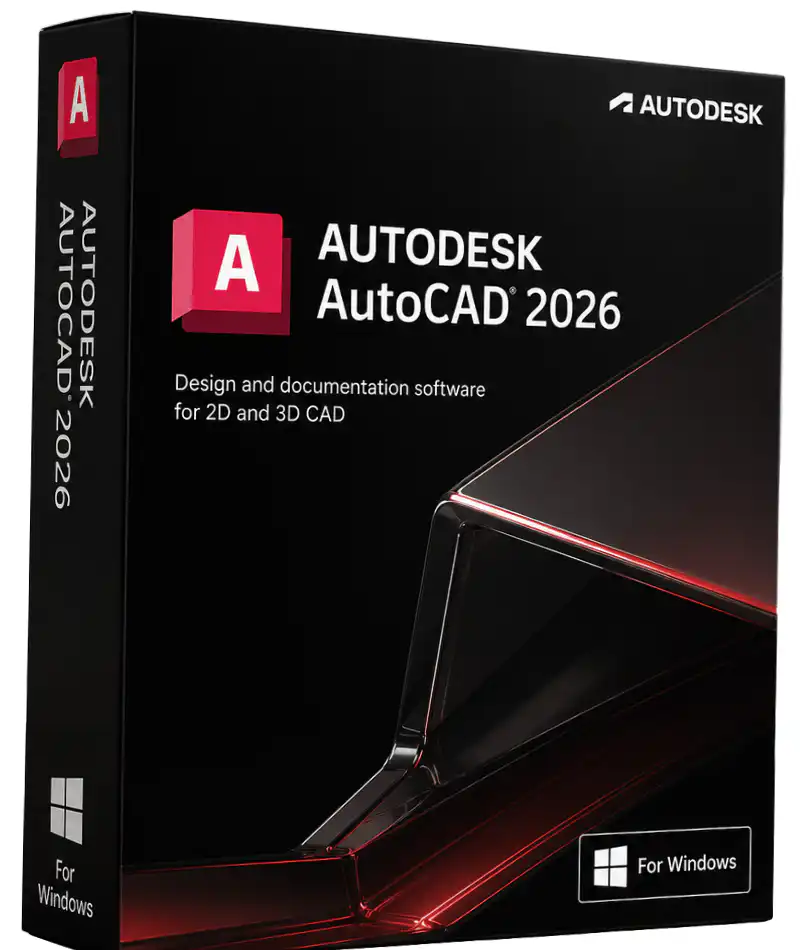
AutoCAD 2026 for Windows is Autodesk’s most powerful CAD release yet — built for architects, engineers, designers, and construction professionals who need precision 2D drafting and advanced 3D modelling in a single, industry-standard platform. With up to 11× faster file-open speeds and 4× faster startup times compared to AutoCAD 2025, plus a suite of Autodesk AI-powered productivity tools, AutoCAD 2026 sets a new benchmark for professional design software. Buy your genuine AutoCAD 2026 for Windows licence key from WinCDKey and get instant digital delivery at the best available price.
What’s New in AutoCAD 2026 for Windows
AutoCAD 2026 is described by Autodesk as the fastest release in the software’s history. Every aspect of the core engine has been overhauled to deliver a noticeably snappier experience, even when working with large, xref-heavy DWG files. On top of raw performance gains, the 2026 release introduces a wave of AI-driven features designed to automate tedious, repetitive tasks — so your team can spend more time designing and less time clicking.
1. Blazing Performance Improvements
AutoCAD 2026 delivers average file-open times up to 11× faster than AutoCAD 2025, with startup speeds improving by an average of 4×. For teams working across large datasets, complex assemblies, or multi-discipline coordination projects, this performance uplift translates directly into billable hours saved every week. The improvement is especially pronounced when loading complex 3D models and large architectural drawings.
2. AI-Powered Smart Blocks
Powered by Autodesk AI, the enhanced Smart Blocks: Search and Convert tool lets you search your entire drawing for geometry that matches a defined block, then replace all matching instances in a single action — with AI suggesting the best block from your library. The new Smart Blocks: Detect and Convert Tech Preview goes a step further, automatically recognising objects that could be converted into blocks and prompting you to standardise them, dramatically reducing drawing cleanup time.
3. Markup Import & Markup Assist
AutoCAD 2026 transforms the revision workflow. You can now import JPG, PNG, and PDF markups — including those created in third-party tools like Adobe Acrobat — directly from Autodesk Docs into a dedicated Trace layer. Markup Assist uses AI to detect text edits, strikethroughs, revision clouds, and boundary changes, then guides you through incorporating each revision, turning a once-laborious feedback loop into a streamlined process.
4. Connected Support Files
For CAD managers and enterprise teams, AutoCAD 2026’s Connected Support Files feature is a game-changer. You can now define a single, project-aware set of support files (fonts, plot styles, hatch patterns, Xrefs) tied to an Autodesk Docs project. Every collaborator automatically draws from the correct support files without any manual configuration — eliminating the mismatched-file errors that have long plagued multi-user CAD environments.
5. “What’s Changed” Activity Insights
The upgraded Activity Insights panel now includes a What’s Changed summary, giving you a time-stamped breakdown of every action taken across all editing sessions — saves, purges, PDF exports, layer changes, and more — across every collaborator. Combined with enhanced search and filter tools, project managers can pinpoint exactly what changed, and when, without trawling through revision histories manually.
6. AutoLISP & Automation
AutoCAD 2026 includes the fully restored Visual LISP IDE, allowing power users and CAD developers to build, edit, and run AutoLISP routines directly within the interface. Automate repetitive drafting tasks, create custom commands, and extend AutoCAD’s functionality without leaving the environment you already know.
7. Desktop, Web & Mobile — Truly Connected
AutoCAD 2026 lets your team stay connected to live DWG files whether they’re at a desk, working remotely, or on a job site. View and mark up 2D and 3D DWG files on the AutoCAD web app or mobile app. AutoCAD subscribers also gain access to AutoLISP API on the web and batch plot to PDF directly from the browser — making AutoCAD 2026 the most connected version yet.
AutoCAD 2026 for Windows — Key Features at a Glance
- Up to 11× faster file open & 4× faster startup vs. AutoCAD 2025
- AI Smart Blocks — Search & Convert, Detect & Convert Tech Preview
- Markup Import & Assist — import PDF/JPG/PNG markups from Autodesk Docs
- Connected Support Files — project-aware settings for the entire team
- “What’s Changed” Activity Insights — full cross-session change history
- AutoLISP & Visual LISP IDE — build and run custom automation routines
- Specialized Toolsets — Architecture, Mechanical, Electrical, MEP, Plant 3D, Civil 3D, Map 3D, Raster Design
- Cross-platform access — Desktop (Windows), Web, and Mobile (iOS/Android)
- Industry-standard DWG format — native TrustedDWG compatibility
- 4K & high-resolution display support — up to 3840 × 2160
- Conversational AI support — AI-generated help and solutions within AutoCAD
- Layer control for Centerline & Centermark commands
- Microsoft Excel live links — link spreadsheets directly to drawing tables
AutoCAD 2026 for Windows — System Requirements
| Component |
Minimum |
Recommended |
| Operating System |
64-bit Windows 10 or Windows 11 |
64-bit Windows 11 (latest updates) |
| Processor |
2.5–2.9 GHz, 8 logical cores |
3.0+ GHz base / 4.0+ GHz turbo |
| RAM |
8 GB |
32 GB or more |
| Graphics Card |
2 GB GPU, DirectX 11, 29 GB/s bandwidth |
8 GB GPU, DirectX 12, 106 GB/s bandwidth |
| Display Resolution |
1920 × 1080 (True Color) |
Up to 3840 × 2160 (4K) |
| Disk Space |
10 GB (SSD recommended) |
NVMe SSD for best performance |
| .NET Framework |
.NET 8 required |
.NET 8 required |
| Internet |
Required for activation & cloud features |
Broadband 10 Mbps+ |
Note: ARM processors are not supported. DirectX 12 with Feature Level 12_0 is required to enable “Fast” visual styles.
Who Is AutoCAD 2026 For?
AutoCAD 2026 is the industry standard for professionals who require precision and reliability in every drawing. The software is widely used across:
- Architecture & Building Design — floor plans, elevations, sections, construction documents
- Mechanical & Manufacturing Engineering — detailed parts, assemblies, manufacturing drawings
- Civil & Infrastructure Engineering — site plans, surveys, roads, and utilities
- Electrical & MEP Design — schematics, panel layouts, HVAC, plumbing, and piping
- Interior Design & Space Planning — furniture layouts, reflected ceiling plans
- GIS & Mapping — geographic information systems with AutoCAD Map 3D toolset
Whether you are a solo practitioner, part of a large enterprise team, or an educator, AutoCAD 2026 scales to your workflow. Pair your AutoCAD licence with a genuine Windows 11 licence to build the perfect professional workstation, or explore our full range of Autodesk products available at WinCDKey.
Autodesk Products Available at WinCDKey
WinCDKey stocks a wide selection of genuine Autodesk licence keys, including:
Browse our complete Autodesk category for the full range.
Complete Your Workstation Setup
AutoCAD users frequently work alongside other professional software. WinCDKey has you covered with genuine licence keys for the complete Microsoft stack:
Why Buy AutoCAD 2026 from WinCDKey?
- Genuine Licence Keys — every key sold is authentic and fully activatable
- Instant Digital Delivery — receive your licence key by email immediately after payment
- Best Price Guarantee — competitive pricing with no hidden fees
- Verified Microsoft Partner — WinCDKey is a verified Microsoft Partner, reflecting our commitment to software authenticity
- Trusted by Thousands — read independent customer reviews on Trustpilot
- Expert Support — visit our Help & Support Center or FAQs for assistance before and after purchase
- Step-by-Step Activation Help — follow our Installation & Activation Guide for a smooth setup
- Secure Checkout & Refund Policy — buy with confidence backed by our Refunds & Returns policy
Need to purchase multiple licences for your organisation? Visit our Enterprise Licensing or Wholesale / B2B pages for volume pricing.
📌 Education Version Note: The education version includes all professional features and produces files without watermarks. It is intended for personal and educational use, not commercial/professional deployment.
Frequently Asked Questions — AutoCAD 2026 for Windows
Is this a genuine Autodesk AutoCAD 2026 licence?
Yes. WinCDKey sells only genuine, authentic Autodesk licence keys. Your key is fully activatable through official Autodesk channels.
What is included with AutoCAD 2026?
AutoCAD 2026 includes the full AutoCAD desktop application for Windows, access to the AutoCAD web and mobile apps, and industry-specific toolsets (Architecture, Mechanical, Electrical, MEP, Plant 3D, Civil 3D, Map 3D, and Raster Design) — all within a single subscription licence.
How is AutoCAD 2026 faster than previous versions?
Autodesk reports average file-open speeds up to 11× faster and startup times up to 4× faster compared to AutoCAD 2025, thanks to a significant overhaul of the core application engine.
Does AutoCAD 2026 support Windows 10?
Yes. AutoCAD 2026 supports both 64-bit Windows 10 and Windows 11. However, Windows 11 is recommended for the best performance. If you need a Windows licence, browse our Windows 11 and Windows 10 ranges.
What are the Autodesk AI features in AutoCAD 2026?
AutoCAD 2026 includes AI-powered Smart Blocks (Search & Convert and Detect & Convert Tech Preview), Markup Assist for AI-guided revision incorporation, conversational AI help within the interface, and enhanced Activity Insights for tracking drawing changes across collaborators.
How do I receive my AutoCAD 2026 licence key?
After checkout, your licence key is delivered instantly to your email address. For any questions, visit our Help & Support Center or check our Installation & Activation Guide.
Refunds
Once a purchased software package has been activated or an activation has been attempted through an online activation site, the package becomes none refundable But in serious matters, we can refund on Wincdkey wallet. So you can use every product. We cannot add the software package to our stock if an activation has been completed or attempted.
We cannot issue a refund if a customer has purchased the wrong product. Rather then we can change it if he not try to active it
Example: A customer purchases a Windows software package for a Mac machine.
Exchanges
Microsoft Softwares will exchange software purchases for up to 30 days after order completion but only if the software has not been downloaded by the customer, you can also return your purchased software within 30 days if the software remains none downloaded for a full refund.
Redemption or Activation:
After purchasing keys, you will get a voucher code which is needed to redeem. this voucher code have a lifetime validity but once redeem it then you need to activate your windows or office within 7 working days.
Refund process
Refunds will be credited back to the credit/debit card that customers used to place their order, refunds are processed from our platform immediately the time taken to credit to the customer depends entirely on the customers card issuer and/or bank account.
How to initiate a Refund/Exchange
For any refund or exchange please open a create a refund or exchange request ticket here.