🎃 HALLOWEEN SALE: 50% OFF best-selling Windows, Office, Autodesk & Server keys — use code GHOST50 Shop the sale →


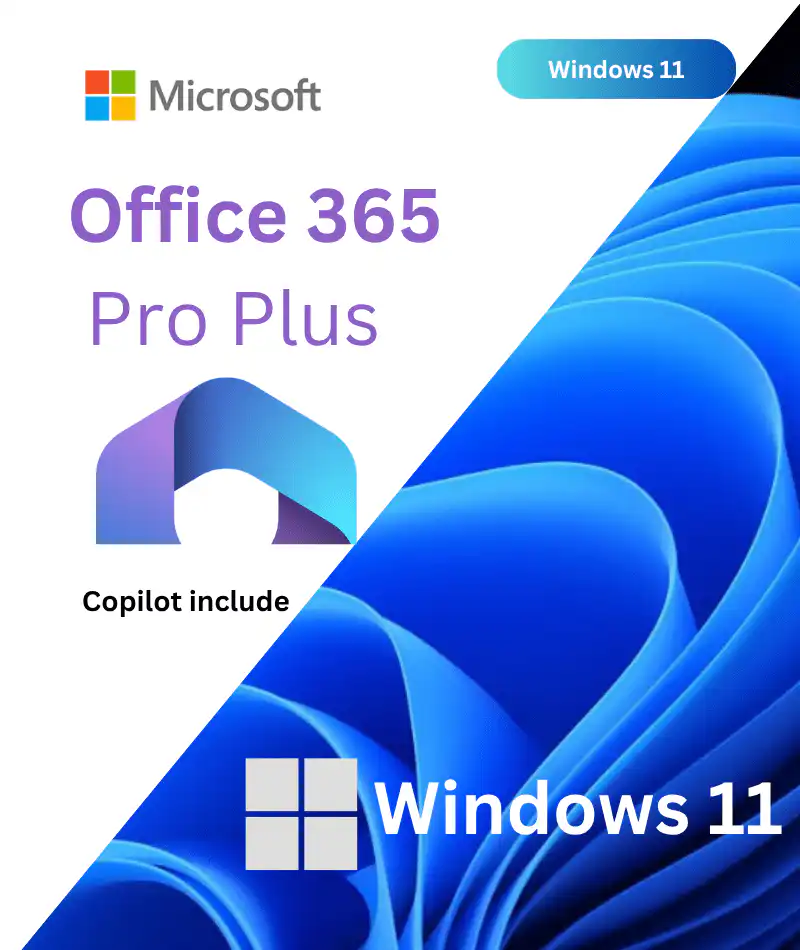
Windows 11 Pro + Office 365 Pro Plus Bundle pack
$11.59
- Genuine Software
- No Expiration
- Product Key
- Looking Autodesk keys? Click here
- 24/7 Live Chat Support
- Standard Warrenty
- Installation Files
- Free Updates
📣 Announcement: Office 2024 Pro Plus Now Available at WinCDKey – 80% OFF! 👉 Shop now Act Fast – Offer Valid While Stocks Last! 🛒
—— Instant Checkout ——
An Electronic License Key Will be Emailed to You 1-2 Minutes After Checkout.
✅ Official Microsoft Partner – Verify Our Microsoft Partner Profile HERE
Windows 11 Pro + Office 365 Pro Plus Bundle — Lifetime OS & Full Office Suite for 5 Devices
The Windows 11 Pro + Office 365 Pro Plus bundle gives you Microsoft’s most capable professional operating system paired with a continuously updated, full-featured Office subscription — all in a single instant-delivery package from WinCDKey, a verified Microsoft Partner.
Whether you’re setting up a new PC, refreshing a home office, or equipping a small team, this bundle eliminates the need to purchase your OS and productivity suite separately. You get a genuine Windows 11 Pro lifetime activation key and a Microsoft 365 / Office 365 Pro Plus account licensed for up to 5 devices — PC, Mac, tablet, and mobile — at a fraction of the retail price.
Over 600,000 orders served and 400,000+ regular customers trust WinCDKey. See what they say on our Trustpilot profile (2,500+ verified reviews).
What’s Included in This Bundle
| Component | Details |
|---|---|
| Windows 11 Pro | Lifetime retail activation key — 1 PC |
| Office 365 Pro Plus Account | 1 user account, licensed for up to 5 devices (PC, Mac, iOS, Android) |
| Office Apps Included | Word, Excel, PowerPoint, Outlook, OneNote, Access, Publisher, Teams |
| Cloud Storage | 1 TB OneDrive storage per user |
| Delivery Method | Instant email — login credentials delivered within minutes of checkout |
| Updates | Continuous — always on the latest Office build |
Windows 11 Pro — Features & Benefits
Windows 11 Pro is Microsoft’s flagship desktop operating system, built for performance, security, and modern hardware. Here’s what you get over Windows 11 Home:
Security & Identity
-
- BitLocker Drive Encryption — protect data on lost or stolen devices
- Windows Hello — biometric sign-in (fingerprint, face recognition, PIN)
Secure Boot & TPM 2.0 integration — hardware-level protection against rootkits and firmware attacks
- Microsoft Defender — enterprise-grade, built-in antivirus and threat detection
Productivity & Multitasking
- Snap Layouts & Snap Groups — organise multiple windows across the screen instantly
- Virtual Desktops — separate workspaces for different projects or work/personal use
- Focus Sessions (via Clock app) — built-in distraction-blocking productivity mode
- Android App support via Amazon App Store
Business & IT Features (Pro Only)
- Remote Desktop — access your PC from anywhere
- Hyper-V virtualisation — run virtual machines natively
- Azure Active Directory & domain join — integrate with corporate networks
- Windows Sandbox — test applications in an isolated environment
- Group Policy Management — centralised IT control
Want only the OS without an Office subscription? Browse our full range of Windows 11 licences, including Windows 11 Pro (1 Device) and Windows 11 Pro (5 PC).
Office 365 Pro Plus — Full Suite, Always Updated
Unlike a perpetual licence such as Office 2024 Professional Plus, the Office 365 Pro Plus account gives you a continuously updated subscription tied to your Microsoft account. You always have access to the very latest version of every Office application.
Included Applications
- Word — advanced writing, editing, and document formatting
- Excel — powerful spreadsheets, pivot tables, and data analysis
- PowerPoint — professional presentations with animation and design tools
- Outlook — email, calendar, and contact management
- OneNote — digital notebook for notes, research, and collaboration
- Access — desktop database management (Windows only)
- Publisher — desktop publishing and layout design (Windows only)
- Microsoft Teams — chat, video calls, and file sharing
Cross-Device & Cloud Benefits
- Install on up to 5 devices — Windows, macOS, iOS, Android
- 1 TB OneDrive cloud storage — access and sync files from any device
- Real-time co-authoring — collaborate on documents simultaneously with others
- Office for the Web — edit documents in any browser, no software required
- Automatic monthly updates — security patches and new features at no extra cost
Office 365 Pro Plus vs. Perpetual Office Licences
| Feature | Office 365 Pro Plus (This Bundle) | Office 2024 Pro Plus (Perpetual) | Office 2021 Pro Plus (Perpetual) |
|---|---|---|---|
| Updates | Continuous (always latest) | Security patches only | Security patches only |
| Device limit | 5 devices per user | 1 PC | 1 PC |
| OneDrive storage | 1 TB | 5 GB (free tier) | 5 GB (free tier) |
| Mobile apps | Yes (iOS & Android) | No | No |
| Microsoft Teams | Included | Not included | Not included |
| Activation type | Account login (email + password) | Product key | Product key |
| Support end date | Ongoing | October 2029 | October 2026 |
Prefer a one-time purchase with no subscription dependency? See Office 2024 Professional Plus or Office 2021 Professional Plus. For another great bundle option, see our Office 2024 Pro Plus + Windows 11 Pro bundle.
Important: How the Office 365 Pro Plus Account Works
This product delivers an Office 365 Pro Plus account — not a standalone product key. Here’s what that means:
- You will receive a Microsoft account email address and password by email after checkout.
- Sign in to office.com with these credentials to download and install Office on up to 5 devices.
- The Windows 11 Pro key is delivered separately in the same email — it is a standard retail product key entered during Windows setup or via Settings > Activation.
- Do not change the Microsoft account password or link it to a personal Microsoft account, as this may disrupt the licence.
- The Office subscription remains active as long as the account is maintained.
For step-by-step setup guidance, see our Installation & Activation Guide or contact our Help & Support Centre.
How to Activate Windows 11 Pro & Office 365 Pro Plus
Windows 11 Pro — Activation Steps
- Purchase and receive your Windows 11 Pro key by email (1–2 minutes after checkout).
- During Windows 11 setup, enter the product key when prompted — or skip and activate later.
- To activate later: go to Settings > System > Activation > Change product key.
- Enter your 25-character product key and click Activate.
- Windows will verify the key online and confirm activation. Ensure your PC meets the system requirements including TPM 2.0.
Office 365 Pro Plus — Activation Steps
- Receive your Office 365 Pro Plus account credentials (email + password) by email.
- Visit office.com and sign in with the provided credentials.
- Click Install Office and select Office 365 apps.
- Run the installer and follow the on-screen prompts — installation typically takes 5–10 minutes.
- Once installed, open any Office app (e.g. Word) — it will activate automatically using the signed-in account.
- Repeat on up to 4 additional devices (5 total) using the same credentials.
Need help? Use our Phone Activation CID Tool for offline activation assistance, or visit our Help & Support Centre for live chat support.
Who Should Buy the Windows 11 Pro + Office 365 Bundle?
Home & Remote Workers
You’ve just built or bought a new PC and need both an operating system and a productivity suite. This bundle gets you fully set up in under 15 minutes — genuine Windows 11 Pro for the machine and the full Office suite on every device you own.
Students
Students needing Word, Excel, and PowerPoint across a laptop, tablet, and phone will benefit from the 5-device coverage and 1 TB of cloud storage for syncing coursework. If you only need the Office apps without a new OS, explore our Office 2024 range instead.
Small Business Owners
Setting up a new workstation for yourself or a colleague? This bundle provides a professional-grade OS with BitLocker, Remote Desktop, and domain join capabilities, plus a full Office suite with Teams for collaboration — everything a small business workstation needs at a significantly lower cost than retail licensing.
IT Professionals & System Builders
Deploying a new machine for a client? The combination of a lifetime Windows 11 Pro key and a 5-device Office 365 account delivers maximum flexibility. For larger-scale deployments, enquire about our Enterprise Licensing and B2B Wholesale options.
System Requirements
Windows 11 Pro
| Component | Minimum Requirement |
|---|---|
| Processor | 1 GHz or faster, 2+ cores, 64-bit compatible |
| RAM | 4 GB minimum |
| Storage | 64 GB minimum |
| Firmware | UEFI, Secure Boot capable |
| TPM | TPM 2.0 required (most PCs manufactured after 2017 include this) |
| Graphics | DirectX 12 compatible GPU / WDDM 2.x driver |
| Display | 720p, 9″ or larger, 8 bits per colour channel |
| Internet | Required for setup and updates |
Office 365 Pro Plus
| Platform | Requirement |
|---|---|
| Windows | Windows 10 or Windows 11 (64-bit recommended) |
| macOS | One of the three most recent macOS versions |
| Internet | Required for installation, activation, and monthly updates |
| Browser | Current version of Microsoft Edge, Chrome, Firefox, or Safari (for web apps) |
| Mobile | iOS 16 or later; Android 10 or later |
Frequently Asked Questions
Is this a genuine, legitimate Microsoft licence?
Yes. WinCDKey is a verified Microsoft Partner. All keys and accounts sold are 100% genuine and sourced through authorised distribution channels. We have served over 600,000 orders with a 4.7+ Trustpilot rating from 2,500+ verified reviewers.
How is the Office 365 account different from a regular Office product key?
An Office 365 Pro Plus account is a pre-licensed Microsoft account. Instead of entering a product key, you sign in to office.com with the provided credentials to download and install Office. The account supports up to 5 devices and includes 1 TB OneDrive storage. A perpetual product key (like Office 2024) activates one PC permanently without an ongoing account.
Can I use Office 365 on my Mac as well as my Windows PC?
Yes. Office 365 Pro Plus supports installation on Windows, macOS, iOS, and Android — up to 5 devices in total across any combination of platforms.
Will the Windows 11 Pro key work on my current PC?
The key works on any PC meeting the Windows 11 hardware requirements, including TPM 2.0. If you’re upgrading from Windows 10, check your device’s compatibility first. You can also use the key on a fresh installation. See our Installation & Activation Guide for full instructions.
How quickly will I receive my licence after purchase?
Your Windows 11 Pro key and Office 365 account credentials will be delivered to your email address within 1–2 minutes of successful checkout. Check your spam/junk folder if you don’t see the email. Our Order Tracking page lets you check your delivery status at any time.
Can I purchase this for someone else or as a gift?
Yes. Simply enter the recipient’s email address at checkout and they’ll receive the credentials directly. Alternatively, forward the email you receive to the intended recipient.
What if I have problems activating Windows 11 Pro or Office 365?
Our support team is available 24/7 via live chat. Visit our Help & Support Centre, use the Phone Activation CID Tool, or consult our Installation & Activation Guide. We resolve the vast majority of activation issues within minutes.
Is the Windows 11 Pro licence tied to my hardware?
Retail product keys (like the one in this bundle) are linked to the hardware on first activation. If you replace your motherboard or make significant hardware changes, you may need to reactivate. Contact our support team and we’ll assist with the process.
What happens to my Office 365 subscription over time?
The account remains active and continues to receive updates as long as it’s maintained. If you want a one-time purchase with no account dependency, consider Office 2024 Professional Plus (supported until October 2029) or browse all Office 2024 licences.
Can I buy multiple bundles for a team?
Yes. Adjust the quantity at checkout. For larger team deployments or volume licensing, see our Enterprise Licensing and B2B Wholesale pages for preferential pricing.
Related Bundles & Alternatives
| Product | Best For |
|---|---|
| Office 2024 Pro Plus + Windows 11 Pro Bundle | Prefer a perpetual licence over a subscription account |
| Office 2021 Pro Plus + Windows 11 Pro Bundle | Budget-conscious buyers; Office 2021 supported until Oct 2026 |
| Windows 10/11 Pro + Office 2021 Pro Plus Bundle | Dual-compatible OS key + perpetual Office suite |
| Office 365 Pro Plus Lifetime (5 Devices) | Office 365 account only — already have Windows 11 |
| Windows 11 Pro (1 Device) | OS only — already have Office |
| Office 2024 Professional Plus | One-time perpetual licence, no account login required |
Why Buy from WinCDKey?
- ✅ Official Microsoft Partner — verify our partner status here
- ✅ 600,000+ orders served — one of Europe’s most trusted digital software retailers
- ✅ 2,500+ Trustpilot reviews — read verified customer feedback
- ✅ Instant delivery — licences emailed within 1–2 minutes of checkout
- ✅ 24/7 live chat support — activation help available around the clock
- ✅ 100% genuine keys — sourced from authorised distribution channels via 1D3 DIGITECH OÜ
- ✅ Secure checkout — encrypted payment processing, no stored card details
- ✅ UK-registered business — Wincdkey Ltd, Company No. 15530488, London WC2H 9JQ
Questions before you buy? Visit our FAQ page, browse our Software Blog for guides and tips, or contact us via the Help & Support Centre.
Refunds
Once a purchased software package has been activated or an activation has been attempted through an online activation site, the package becomes none refundable But in serious matters, we can refund on Wincdkey wallet. So you can use every product. We cannot add the software package to our stock if an activation has been completed or attempted.
We cannot issue a refund if a customer has purchased the wrong product. Rather then we can change it if he not try to active it
Example: A customer purchases a Windows software package for a Mac machine.
Exchanges
Microsoft Softwares will exchange software purchases for up to 30 days after order completion but only if the software has not been downloaded by the customer, you can also return your purchased software within 30 days if the software remains none downloaded for a full refund.
Redemption or Activation:
After purchasing keys, you will get a voucher code which is needed to redeem. this voucher code have a lifetime validity but once redeem it then you need to activate your windows or office within 7 working days.
Refund process
Refunds will be credited back to the credit/debit card that customers used to place their order, refunds are processed from our platform immediately the time taken to credit to the customer depends entirely on the customers card issuer and/or bank account.
How to initiate a Refund/Exchange
For any refund or exchange please open a create a refund or exchange request ticket here.


Great job with remote support
Great job with remote support!
Simple usefull!!! A+++
Great customer support
Customer support - Number 1 !!!! Many thanks.
Legit and easy.
Legit and easy. Support was very quick to help as there as a minor issue and resolved it quickly.
Highly recommend.
Microsoft key didn't work at first, but...
The Microsoft key didn't work at first, but after a brief talk to a customer support and few screenshots they have made it work. I would still suggest buying from this site, because the issue was resolved really fast.
Great experience
Great experience. Had a problem with a product key. Support fixed my problem in a few minutes.
Speedy replies!!!
Speedy replies, fast solutions, excellent in general!
Related Products

Hot