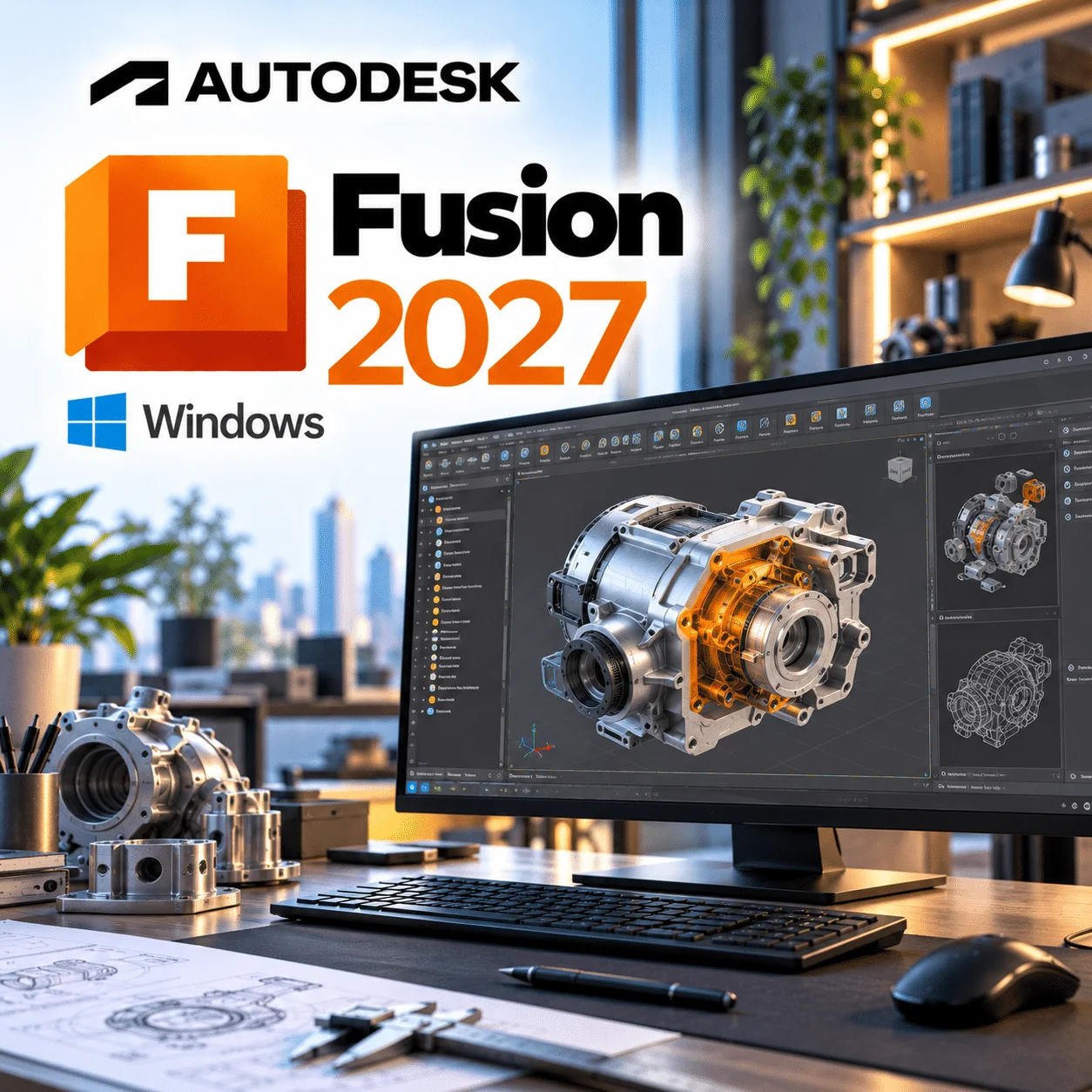
Autodesk Fusion 2027 Windows is a 1-year subscription to Autodesk’s cloud-connected CAD, CAM, CAE and PCB design software for product designers, machinists, engineers and small manufacturing businesses working on Windows PCs. This listing covers one user on 1 device at a time for 1 year, delivered instantly by email. One thing to know up front: Autodesk does not release a separate “Fusion 2027” version, so “2027” here means the 2026–2027 subscription year, and Fusion updates itself automatically to the latest release throughout your term.
Autodesk Fusion 2027 Windows licence at a glance
| Item |
Detail |
| Product |
Autodesk Fusion (formerly Fusion 360), base subscription |
| Version |
Continuous release; Fusion updates to the latest build automatically. “2027” refers to the 2026–2027 subscription year |
| Platform |
Windows 10 (22H2) or Windows 11, 64-bit; the same subscription also signs in on macOS |
| Licence term |
1-year subscription, one named user, used on 1 device at a time |
| Delivery |
By email after payment |
| Activation |
Sign in with your Autodesk Account, following the instructions in your order email |
| Updates |
Every Fusion update Autodesk releases during your 12-month term |
What is Autodesk Fusion?
Autodesk Fusion is a cloud-connected product development platform that combines parametric 3D CAD, CAM toolpaths for CNC machining, simulation and electronics (PCB) design in one application. It was called Fusion 360 until January 2024. Your designs are stored in Autodesk’s cloud, so versions, sharing and team access are built in rather than bolted on.
On Windows it installs as a desktop application. It needs an internet connection for most work, although Autodesk’s Offline Mode lets you keep modelling for up to two weeks and syncs your changes when you reconnect.
Recent Fusion updates in 2026 (Windows users)
Instead of a yearly version, Autodesk ships major Fusion updates every few months. These are the notable changes from 2026, taken from Autodesk’s October 2026 Fusion update notes and earlier What’s New posts on the Fusion blog. Items marked as Extension features need an extra paid Autodesk add-on.
April 2026 (v.2702): Autodesk Assistant and faster large assemblies
Autodesk Assistant gained natural-language modelling, CAM setup help and the ability to write and run scripts against the Fusion API. Autodesk also reported up to 85% faster suppression and deletion in large assemblies and a new BOM Navigator for viewing assembly structure.
July 2026 (v.2704): Altium import and a hub thread library
Altium Designer projects can now be translated into Fusion Electronics, including schematics, PCB layout and nets. Teams can also share custom thread definitions through a hub-based Threads Library, and construction geometry got several practical fixes such as perpendicular planes on curved faces.
October 2026 (v.2706): System Modeler and task boards
System Modeler adds node-based visual scripting to the Design and Manufacture workspaces, so repeat jobs can be automated without code. Integrated task boards with Kanban and list views now link directly to your Fusion designs.
October 2026: performance and sketch tools
Autodesk quotes up to 35% faster open, save and edit on large nested assemblies (results vary by dataset). A new Find Under-Constrained option lists loose sketch geometry right in the Sketch palette.
October 2026: AutoTimeline tech preview (Design Extension)
AutoTimeline uses AI-assisted feature recognition to rebuild imported dumb geometry as an editable parametric timeline. It is a tech preview and requires the Fusion Design Extension, which is not part of this base licence.
Key features of Autodesk Fusion
- Parametric, direct, freeform (T-spline), mesh and surface modelling in one timeline
- Assembly modelling with joints, motion studies and configurations
- 2D manufacturing drawings with GD&T
- Integrated CAM: 2.5 to 3-axis milling, turning, mill-turn, cutting and additive, with a free post-processor library
- Simulation studies, with advanced studies available through the Simulation Extension
- Electronics: schematic capture, PCB layout and ECAD-MCAD sync
- Cloud data management with version history and browser-based sharing
- Python and C++ API for scripts and add-ins
Autodesk Fusion vs Inventor on Windows
Choose Fusion if you want CAD, CAM and PCB design in one cloud-connected tool at a low annual cost; choose Inventor if you need a Windows desktop-only mechanical design system with deep documentation, Content Center and iLogic-style automation for large engineering teams. Autodesk’s own Fusion vs Inventor comparison sets out the differences in detail.
| Area |
Autodesk Fusion |
Autodesk Inventor |
| Platform |
Windows, macOS and web browser |
Windows desktop application |
| Data |
Cloud-based storage and version control built in |
Local files; Vault for data management |
| CAM |
Built in (advanced strategies via Manufacturing Extension) |
Separate products (Inventor CAM / Collection) |
| Electronics/PCB |
Schematic and PCB layout included |
Not included |
| Documentation |
2D drawings with GD&T |
Content Center, design configurations, costing and VBA automation |
| Autodesk UK list price (Oct 2026) |
£612 per year |
£2,334 per year |
If you already own Inventor, see our Autodesk Inventor Professional 2024 for Windows listing; many firms use both, with Fusion for CAM and quick prototypes.
Who is Autodesk Fusion for?
- Product designers who move from sketch to prototype without switching programs.
- CNC machinists and job shops who want CAD and CAM in the same file.
- Electronics engineers designing enclosures and boards together.
- Start-ups and small manufacturers that need commercial rights without Inventor-level pricing.
- Makers who have outgrown Fusion for personal use and now sell what they build.
Autodesk Fusion system requirements for Windows
Fusion runs on 64-bit Windows 10 22H2 or later, with Windows 11 recommended. These figures come from Autodesk’s Fusion product details page.
| Component |
Minimum |
Recommended |
| Operating system |
Windows 10 22H2 (build 19045 or newer) |
Windows 11 22H2 (build 22621 or newer) |
| CPU |
x86-64, 2 performance cores / 4 threads, 3GHz+ turbo; 32-bit not supported |
8+ performance cores / 16+ threads, 3GHz+ base |
| Memory |
8GB RAM |
32GB+ RAM |
| Graphics |
1GB GPU memory, DirectX 11 (Direct3D 10.1+) |
8GB+ dedicated GPU, DirectX 11; certified hardware for professional use |
| Display |
1366 x 768 at 60Hz |
3840 x 2160 (4K) at 60Hz, 200% scaling |
| Disk |
8.5GB on HDD |
15GB+ on SSD |
| Internet |
5 Mbps down / 1 Mbps up |
25+ Mbps down / 5+ Mbps up |
| Dependencies |
TLS 1.2+; .NET Framework 4.5 or newer (for crash reporting) |
Windows 10 reached end of support on 14 October 2025, so if your PC is still on it, a Windows 11 licence is the sensible upgrade. Always check Autodesk’s current requirements before buying, as Autodesk updates OS support during a release’s life.
How to activate Autodesk Fusion on Windows
- Check your inbox for the order email from WinCDKey, which contains your licence details and instructions.
- Sign in to your Autodesk Account, or create a free one with the email address you will use for Fusion.
- Download the Fusion installer for Windows from your Autodesk Account or the link given in your order email.
- Run the installer; Fusion installs per user and opens when it finishes.
- Sign in at first launch and apply the licence exactly as described in your order email.
- If anything fails, follow our installation and activation guide or contact WinCDKey support with your order number.
Why buy from WinCDKey
Related products
Frequently asked questions
Is there an Autodesk Fusion 2027 version?
No. Autodesk does not release Fusion as yearly versions like AutoCAD 2027. Fusion is one continuously updated product, and the October 2026 release is build v.2706. In this product name, “2027” refers to the 2026–2027 subscription year; your installation updates itself to whatever Autodesk releases during the term.
Is Autodesk Fusion a subscription or a perpetual licence?
It is a subscription. Autodesk sells Fusion only as a monthly or yearly subscription and does not sell new perpetual licences. This listing gives you 12 months of full access, including all updates released in that time. When the term ends you renew to keep using the commercial features.
Does the Windows licence also work on a Mac?
Yes. Autodesk licenses Fusion per named user, and its subscription FAQ states Fusion is supported on Windows, macOS and a web browser under the same subscription. You can sign in on a Mac with the same Autodesk Account, but only on one computer at a time.
Can I install Fusion on another computer?
Yes, but you can only use it on one at a time. Autodesk says a Fusion subscription can be installed on several machines, but the same account cannot be signed in on more than one computer at once. Sign out on the old PC before signing in on the new one. A second simultaneous user needs a second subscription.
What happens after the 1-year term ends?
Fusion stops being licensed for commercial use when the 12 months finish. Your designs stay in your Autodesk cloud storage, but you will need to renew to keep editing with full features. You can buy a new term from WinCDKey; check the WinCDKey FAQs for renewal timing.
How is Autodesk Fusion delivered?
By email, usually within minutes of payment. The email contains your licence details and step-by-step instructions for linking it to your Autodesk Account. There is no physical box or disc. If the email has not arrived, check your spam folder, then contact our support team.
What are the minimum system requirements for Fusion on Windows?
You need 64-bit Windows 10 22H2 or Windows 11, an x86-64 processor with at least 2 cores and 4 threads, 8GB RAM, a DirectX 11 graphics card with 1GB memory, 8.5GB of disk space and a 5 Mbps internet connection. Autodesk recommends 32GB RAM and an 8GB GPU for serious work.
What is the difference between Fusion and Fusion for personal use?
Fusion for personal use is free but limited to non-commercial, home projects for people earning under USD 1,000 a year from them. Autodesk restricts its file export, CAM and simulation, and excludes configurations, BOMs and Extensions. The paid subscription removes those limits and allows commercial work.
Does this licence include Fusion Extensions?
No. This is the base Autodesk Fusion subscription. Extensions such as the Design, Manufacturing and Simulation Extensions are separate paid add-ons from Autodesk, so features like AutoTimeline or 3+2 clearing need one of those on top. Everything in the standard Fusion workspaces is included.
Refunds
Once a purchased software package has been activated or an activation has been attempted through an online activation site, the package becomes none refundable But in serious matters, we can refund on Wincdkey wallet. So you can use every product. We cannot add the software package to our stock if an activation has been completed or attempted.
We cannot issue a refund if a customer has purchased the wrong product. Rather then we can change it if he not try to active it
Example: A customer purchases a Windows software package for a Mac machine.
Exchanges
Microsoft Softwares will exchange software purchases for up to 30 days after order completion but only if the software has not been downloaded by the customer, you can also return your purchased software within 30 days if the software remains none downloaded for a full refund.
Redemption or Activation:
After purchasing keys, you will get a voucher code which is needed to redeem. this voucher code have a lifetime validity but once redeem it then you need to activate your windows or office within 7 working days.
Refund process
Refunds will be credited back to the credit/debit card that customers used to place their order, refunds are processed from our platform immediately the time taken to credit to the customer depends entirely on the customers card issuer and/or bank account.
How to initiate a Refund/Exchange
For any refund or exchange please open a create a refund or exchange request ticket here.