


AutoCAD Direct Download 2022–2025 | Official Autodesk Links

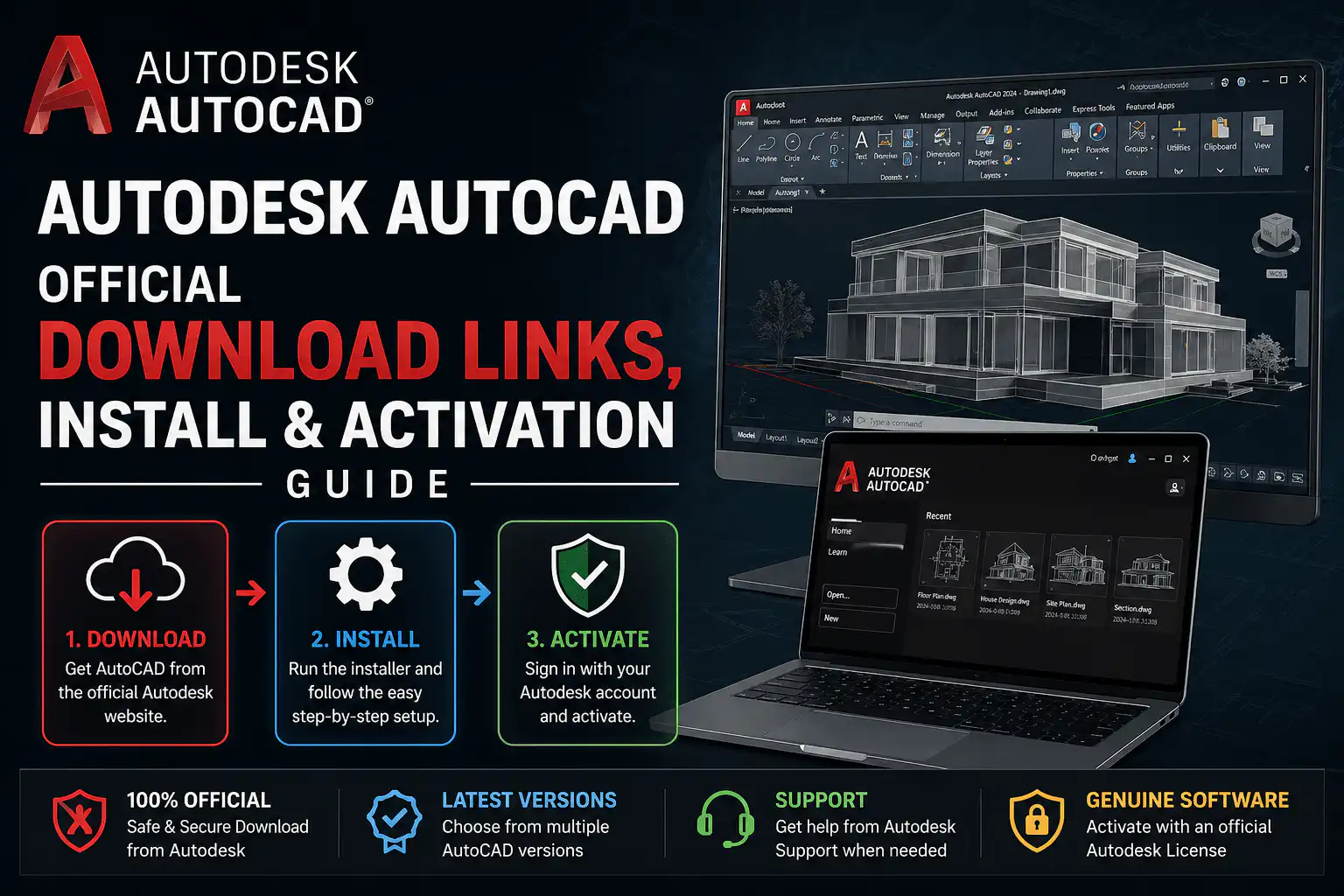
Looking for a safe, fast way to get Autodesk AutoCAD onto your machine without hunting through menus or waiting for the Autodesk desktop app? You’re in the right place. This guide compiles every AutoCAD direct download link — straight from Autodesk’s own servers — for versions 2022 through 2025, covering Windows 64-bit, Mac, AutoCAD LT, and popular toolsets like Mechanical, Architecture, Inventor, 3ds Max, and Revit.
All links below point to edutrial.autodesk.com, which is Autodesk’s official distribution server. No third-party mirrors, no cracked installers — just the genuine software. Once downloaded, you will need a valid licence key to activate. If you still need one, you can buy an Autodesk licence key from WinCDKey at competitive prices.
What Is Autodesk AutoCAD?
AutoCAD is the world’s leading computer-aided design (CAD) platform, developed by Autodesk. Architects, engineers, construction professionals, and product designers rely on it daily to create precise 2D drawings and detailed 3D models. It comes in several editions to match different budgets and workflows:
- AutoCAD — the full feature set for 2D drafting and 3D modelling.
- AutoCAD LT — a lighter, more affordable option focused on 2D work.
- AutoCAD Mechanical — adds standards-based mechanical engineering tools.
- AutoCAD Architecture — purpose-built for architectural design and documentation.
- Inventor Professional — 3D mechanical design and product simulation.
- 3ds Max — professional 3D modelling, rendering, and animation.
- Revit — BIM (Building Information Modelling) for AEC professionals.
Choosing the right edition matters. AutoCAD LT is ideal if you only need 2D drafting; the full AutoCAD suite is essential for 3D work. Specialized toolsets like Mechanical or Architecture bundle industry-specific content that saves hours compared to building custom tool libraries from scratch.
System Requirements Before You Download
Before clicking any download link, confirm your machine meets Autodesk’s minimum specs. For AutoCAD 2025 on Windows you will need at minimum a 2.5 GHz processor, 8 GB RAM (16 GB recommended), and roughly 10 GB of free disk space. A dedicated GPU with 1 GB VRAM (4 GB recommended) is strongly advised for 3D work. macOS users need macOS 13 Ventura or later. Always check Autodesk’s official system requirements page for the exact version you intend to install.
AutoCAD Direct Download Links — Windows (64-bit)
Each version below is split into one or two installer parts. Download all parts into the same folder before launching the first .sfx.exe file.
AutoCAD 2022 (Windows)
https://edutrial.autodesk.com/NetSWDLD/2022/ACD/1E7D4EF7-A28E-3D3E-BA3C-C6FAE4AAB2E0/SFX/AutoCAD_2022_English_Win_64bit_dlm.sfx.exeAutoCAD 2023 (Windows)
https://edutrial.autodesk.com/NetSWDLD/2023/ACD/73A78CE1-E03A-3415-826E-91A699E39B17/SFX/AutoCAD_2023_English_Win_64bit_dlm_001_002.sfx.exe
https://edutrial.autodesk.com/NetSWDLD/2023/ACD/73A78CE1-E03A-3415-826E-91A699E39B17/SFX/AutoCAD_2023_English_Win_64bit_dlm_002_002.sfx.exe
AutoCAD 2024 (Windows)
https://edutrial.autodesk.com/NetSWDLD/2024/ACD/CC46AD7F-5075-3702-B2BF-CFCC5AB8468B/SFX/AutoCAD_2024_English_Win_64bit_dlm_001_002.sfx.exe
https://edutrial.autodesk.com/NetSWDLD/2024/ACD/CC46AD7F-5075-3702-B2BF-CFCC5AB8468B/SFX/AutoCAD_2024_English_Win_64bit_dlm_002_002.sfx.exe
AutoCAD 2025 (Windows)
https://edutrial.autodesk.com/NetSWDLD/ODIS/prd/2025/ACD/99E57530-7CC1-31F4-89E9-24175C7690C2/SFX/AutoCAD_2025_English_Win_64bit_db_001_002.exe
https://edutrial.autodesk.com/NetSWDLD/ODIS/prd/2025/ACD/99E57530-7CC1-31F4-89E9-24175C7690C2/SFX/AutoCAD_2025_English_Win_64bit_db_002_002.7z
AutoCAD LT Direct Download Links — Windows
AutoCAD LT is the budget-friendly, 2D-only version — perfect for drafters who do not need 3D modelling capabilities.
AutoCAD LT 2022 (Windows)
https://edutrial.autodesk.com/NetSWDLD/2022/ACDLT/3E4FF57B-0533-3C99-A29F-C9E2838E11E5/SFX/AutoCAD_LT_2022_English_Win_64bit_dlm.sfx.exeAutoCAD LT 2023 (Windows)
https://edutrial.autodesk.com/NetSWDLD/2023/ACDLT/C8DC0A93-1BFB-3C0D-B3B6-1BD06D06CCC2/SFX/AutoCAD_LT_2023_English_Win_64bit_dlm.sfx.exeAutoCAD LT 2024 (Windows)
https://edutrial.autodesk.com/NetSWDLD/2024/ACDLT/4558A64D-DFA2-3773-BF42-92414FF3F3DF/SFX/AutoCAD_LT_2024_English_Win_64bit_dlm.sfx.exeAutoCAD LT 2025 (Windows)
https://edutrial.autodesk.com/NetSWDLD/ODIS/prd/2025/ACDLT/5F84131A-A029-32CD-ADF6-66AC3C051E93/SFX/AutoCAD_LT_2025_English_Win_64bit_db_001_002.exe
https://edutrial.autodesk.com/NetSWDLD/ODIS/prd/2025/ACDLT/5F84131A-A029-32CD-ADF6-66AC3C051E93/SFX/AutoCAD_LT_2025_English_Win_64bit_db_002_002.7z
AutoCAD Direct Download Links — macOS
Mac installers are distributed as a single .dmg file. Simply mount the image and run the installer.
AutoCAD 2022 (Mac)
https://edutrial.autodesk.com/NetSWDLD/2022/ACDMAC/0D0E708D-D854-3FA6-A72D-64C929A38B0F/ESD/Autodesk_AutoCAD_2022.4_macOS.dmgAutoCAD 2023 (Mac)
https://edutrial.autodesk.com/NetSWDLD/2023/ACDMAC/534FD954-4499-3FF4-B9FC-DF48AFF35989/ESD/Autodesk_AutoCAD_2023.3_macOS.dmgAutoCAD 2024 (Mac)
https://edutrial.autodesk.com/NetSWDLD/2024/ACDMAC/51FA17FC-55D6-39BA-8FC8-6C4A49773B94/ESD/Autodesk_AutoCAD_2024.1_macOS.dmgAutoCAD 2025 (Mac)
https://edutrial.autodesk.com/NetSWDLD/2025/ACDMAC/55743EBF-5B14-3CCC-B072-25EF78E3B9E2/SFX/Autodesk_AutoCAD_2025_macOS.dmgAutoCAD LT Direct Download Links — macOS
AutoCAD LT 2022 (Mac)
https://edutrial.autodesk.com/NetSWDLD/2022/ACDLTM/AA508774-45B7-3F39-A9CE-B9B23FB14261/ESD/Autodesk_AutoCAD_LT_2022.4_macOS.dmgAutoCAD LT 2023 (Mac)
https://edutrial.autodesk.com/NetSWDLD/2023/ACDLTM/3B65C409-4332-30FE-8A92-D89B1B6E7FC9/ESD/Autodesk_AutoCAD_LT_2023.3_macOS.dmgAutoCAD LT 2024 (Mac)
https://edutrial.autodesk.com/NetSWDLD/2024/ACDLTM/4CB2F4EB-DD55-338F-8527-0EA29D515448/ESD/Autodesk_AutoCAD_LT_2024.1_macOS.dmgAutoCAD LT 2025 (Mac)
https://edutrial.autodesk.com/NetSWDLD/2025/ACDLTM/5A1670B7-8E7C-3BAC-A2D3-FF77ADEE96D4/SFX/Autodesk_AutoCAD_LT_2025_macOS.dmgAutoCAD Toolset Direct Download Links
AutoCAD Mechanical (Windows)
Industry-standard mechanical design tools built on top of AutoCAD’s full feature set.
AutoCAD Mechanical 2022
https://edutrial.autodesk.com/NetSWDLD/2022/AMECH_PP/82C320DD-8EC4-3382-A19F-1AB2019EEFCE/SFX/AutoCAD_Mechanical_2022_English_Win_64bit_dlm.sfx.exeAutoCAD Mechanical 2023
https://edutrial.autodesk.com/NetSWDLD/2023/AMECH_PP/3577A1C0-9FF4-3E32-85C4-196755854976/SFX/AutoCAD_Mechanical_2023_English_Win_64bit_dlm_001_002.sfx.exe
https://edutrial.autodesk.com/NetSWDLD/2023/AMECH_PP/3577A1C0-9FF4-3E32-85C4-196755854976/SFX/AutoCAD_Mechanical_2023_English_Win_64bit_dlm_002_002.sfx.exe
AutoCAD Mechanical 2024
https://edutrial.autodesk.com/NetSWDLD/2024/AMECH_PP/00F59E39-BF7F-3230-B999-4E17C790A564/SFX/AutoCAD_Mechanical_2024_English_Win_64bit_dlm_001_002.sfx.exe
https://edutrial.autodesk.com/NetSWDLD/2024/AMECH_PP/00F59E39-BF7F-3230-B999-4E17C790A564/SFX/AutoCAD_Mechanical_2024_English_Win_64bit_dlm_002_002.sfx.exe
AutoCAD Mechanical 2025
https://edutrial.autodesk.com/NetSWDLD/ODIS/prd/2025/AMECH_PP/A8B40D69-D5C5-3B8B-B7AE-03C9580FB922/SFX/AutoCAD_Mechanical_2025_English_Win_64bit_db_001_002.exe
https://edutrial.autodesk.com/NetSWDLD/ODIS/prd/2025/AMECH_PP/A8B40D69-D5C5-3B8B-B7AE-03C9580FB922/SFX/AutoCAD_Mechanical_2025_English_Win_64bit_db_002_002.7z
AutoCAD Architecture (Windows)
Drafting tools tailored for architects, with pre-built wall, door, window, and room objects.
AutoCAD Architecture 2022
https://edutrial.autodesk.com/NetSWDLD/2022/ARCHDESK/6CE4BFB0-EB1D-3003-9B66-9D421F8291D8/SFX/AutoCAD_Architecture_2022_English_Win_64bit_dlm_001_002.sfx.exe
https://edutrial.autodesk.com/NetSWDLD/2022/ARCHDESK/6CE4BFB0-EB1D-3003-9B66-9D421F8291D8/SFX/AutoCAD_Architecture_2022_English_Win_64bit_dlm_002_002.sfx.exe
AutoCAD Architecture 2023
https://edutrial.autodesk.com/NetSWDLD/2023/ARCHDESK/67A71D0C-9DFE-346E-AEEF-39D925050F45/SFX/AutoCAD_Architecture_2023_English_Win_64bit_dlm_001_002.sfx.exe
https://edutrial.autodesk.com/NetSWDLD/2023/ARCHDESK/67A71D0C-9DFE-346E-AEEF-39D925050F45/SFX/AutoCAD_Architecture_2023_English_Win_64bit_dlm_002_002.sfx.exe
AutoCAD Architecture 2024
https://edutrial.autodesk.com/NetSWDLD/2024/ARCHDESK/EDC5A170-AC34-34B1-854F-9B3831A6CBDC/SFX/AutoCAD_Architecture_2024_English_Win_64bit_dlm_001_002.sfx.exe
https://edutrial.autodesk.com/NetSWDLD/2024/ARCHDESK/EDC5A170-AC34-34B1-854F-9B3831A6CBDC/SFX/AutoCAD_Architecture_2024_English_Win_64bit_dlm_002_002.sfx.exe
AutoCAD Architecture 2025
https://edutrial.autodesk.com/NetSWDLD/ODIS/prd/2025/ARCHDESK/A3738E04-E486-3978-9328-1450517AFF95/SFX/AutoCAD_Architecture_2025_English_Win_64bit_dlm_001_002.exe
https://edutrial.autodesk.com/NetSWDLD/ODIS/prd/2025/ARCHDESK/A3738E04-E486-3978-9328-1450517AFF95/SFX/AutoCAD_Architecture_2025_English_Win_64bit_dlm_002_002.7z
Autodesk Inventor Professional Direct Download Links
Inventor Pro is Autodesk’s flagship 3D mechanical design and simulation platform. Each version is a three-part installer — download all three before running.
Inventor Pro 2022
https://edutrial.autodesk.com/NetSWDLD/2022/INVPROSA/15FAE334-7AC7-3147-BA02-CD075026EA49/SFX/Inventor_Pro_2022_English_Win_64bit_Dlm_001_003.sfx.exe
https://edutrial.autodesk.com/NetSWDLD/2022/INVPROSA/15FAE334-7AC7-3147-BA02-CD075026EA49/SFX/Inventor_Pro_2022_English_Win_64bit_Dlm_002_003.sfx.exe
https://edutrial.autodesk.com/NetSWDLD/2022/INVPROSA/15FAE334-7AC7-3147-BA02-CD075026EA49/SFX/Inventor_Pro_2022_English_Win_64bit_Dlm_003_003.sfx.exe
Inventor Pro 2023
https://edutrial.autodesk.com/NetSWDLD/2023/INVPROSA/829A197F-80D8-354C-9253-8D34B508F89C/SFX/Inventor_Pro_2023_English_Win_64bit_Dlm_001_003.sfx.exe
https://edutrial.autodesk.com/NetSWDLD/2023/INVPROSA/829A197F-80D8-354C-9253-8D34B508F89C/SFX/Inventor_Pro_2023_English_Win_64bit_Dlm_002_003.sfx.exe
https://edutrial.autodesk.com/NetSWDLD/2023/INVPROSA/829A197F-80D8-354C-9253-8D34B508F89C/SFX/Inventor_Pro_2023_English_Win_64bit_Dlm_003_003.sfx.exe
Inventor Pro 2024
https://edutrial.autodesk.com/NetSWDLD/2024/INVPROSA/0B739F57-E75B-3A3D-B2A3-BFB7B2346754/SFX/Inventor_Pro_2024_English_Win_64bit_Dlm_001_003.sfx.exe
https://edutrial.autodesk.com/NetSWDLD/2024/INVPROSA/0B739F57-E75B-3A3D-B2A3-BFB7B2346754/SFX/Inventor_Pro_2024_English_Win_64bit_Dlm_002_003.sfx.exe
https://edutrial.autodesk.com/NetSWDLD/2024/INVPROSA/0B739F57-E75B-3A3D-B2A3-BFB7B2346754/SFX/Inventor_Pro_2024_English_Win_64bit_Dlm_003_003.sfx.exe
Inventor Pro 2025
https://edutrial.autodesk.com/NetSWDLD/ODIS/prd/2025/INVPROSA/E578CB4E-CF55-3E4D-9A8A-213245140B78/SFX/Inventor_Professional_2025_English_Win_64bit_db_001_002.exe
https://edutrial.autodesk.com/NetSWDLD/ODIS/prd/2025/INVPROSA/E578CB4E-CF55-3E4D-9A8A-213245140B78/SFX/Inventor_Professional_2025_English_Win_64bit_db_002_002.7z
Autodesk 3ds Max Direct Download Links
3ds Max is the industry standard for 3D animation, modelling, and rendering in film, TV, and games. Each version is a three or four-part installer.
3ds Max 2023
https://edutrial.autodesk.com/NetSWDLD/2023/3DSMAX/293C73E4-72C2-389D-B0D6-F739AA8DC478/SFX/Autodesk_3ds_Max_2023_EFGJKPS_Win_64bit_dlm_001_004.sfx.exe
https://edutrial.autodesk.com/NetSWDLD/2023/3DSMAX/293C73E4-72C2-389D-B0D6-F739AA8DC478/SFX/Autodesk_3ds_Max_2023_EFGJKPS_Win_64bit_dlm_002_004.sfx.exe
https://edutrial.autodesk.com/NetSWDLD/2023/3DSMAX/293C73E4-72C2-389D-B0D6-F739AA8DC478/SFX/Autodesk_3ds_Max_2023_EFGJKPS_Win_64bit_dlm_003_004.sfx.exe
https://edutrial.autodesk.com/NetSWDLD/2023/3DSMAX/293C73E4-72C2-389D-B0D6-F739AA8DC478/SFX/Autodesk_3ds_Max_2023_EFGJKPS_Win_64bit_dlm_004_004.sfx.exe
3ds Max 2024
https://edutrial.autodesk.com/NetSWDLD/2024/3DSMAX/A7A4F031-ED1F-3109-800B-7A155FF2C6F8/SFX/Autodesk_3ds_Max_2024_2_3_Win_64bit_dlm_001_003.sfx.exe
https://edutrial.autodesk.com/NetSWDLD/2024/3DSMAX/A7A4F031-ED1F-3109-800B-7A155FF2C6F8/SFX/Autodesk_3ds_Max_2024_2_3_Win_64bit_dlm_002_003.sfx.exe
https://edutrial.autodesk.com/NetSWDLD/2024/3DSMAX/A7A4F031-ED1F-3109-800B-7A155FF2C6F8/SFX/Autodesk_3ds_Max_2024_2_3_Win_64bit_dlm_003_003.sfx.exe
3ds Max 2025
https://edutrial.autodesk.com/NetSWDLD/2025/3DSMAX/14FA05D6-D56B-3FDC-8E00-9025FE259283/SFX/Autodesk_3ds_Max_2025__EFGJKPS_Win_64bit_001_003.sfx.exe
https://edutrial.autodesk.com/NetSWDLD/2025/3DSMAX/14FA05D6-D56B-3FDC-8E00-9025FE259283/SFX/Autodesk_3ds_Max_2025__EFGJKPS_Win_64bit_002_003.sfx.exe
https://edutrial.autodesk.com/NetSWDLD/2025/3DSMAX/14FA05D6-D56B-3FDC-8E00-9025FE259283/SFX/Autodesk_3ds_Max_2025__EFGJKPS_Win_64bit_003_003.sfx.exe
Autodesk Revit Direct Download Links
Revit is Autodesk’s BIM solution for architecture, MEP, and structural engineering teams. Each version requires five installer parts.
Revit 2022
https://edutrial.autodesk.com/NetSWDLD/2022/RVT/03BD6A4A-C858-3AD2-9353-DF2974C9918B/SFX/Revit_2022_G1_Win_64bit_dlm_001_005.sfx.exe
https://edutrial.autodesk.com/NetSWDLD/2022/RVT/03BD6A4A-C858-3AD2-9353-DF2974C9918B/SFX/Revit_2022_G1_Win_64bit_dlm_002_005.sfx.exe
https://edutrial.autodesk.com/NetSWDLD/2022/RVT/03BD6A4A-C858-3AD2-9353-DF2974C9918B/SFX/Revit_2022_G1_Win_64bit_dlm_003_005.sfx.exe
https://edutrial.autodesk.com/NetSWDLD/2022/RVT/03BD6A4A-C858-3AD2-9353-DF2974C9918B/SFX/Revit_2022_G1_Win_64bit_dlm_004_005.sfx.exe
https://edutrial.autodesk.com/NetSWDLD/2022/RVT/03BD6A4A-C858-3AD2-9353-DF2974C9918B/SFX/Revit_2022_G1_Win_64bit_dlm_005_005.sfx.exe
Revit 2023
https://edutrial.autodesk.com/NetSWDLD/2023/RVT/B4E35F04-D559-35E9-AB70-E0131AF7AB5B/SFX/Revit_2023_r1_G1_Win_64bit_dlm_001_005.sfx.exe
https://edutrial.autodesk.com/NetSWDLD/2023/RVT/B4E35F04-D559-35E9-AB70-E0131AF7AB5B/SFX/Revit_2023_r1_G1_Win_64bit_dlm_002_005.sfx.exe
https://edutrial.autodesk.com/NetSWDLD/2023/RVT/B4E35F04-D559-35E9-AB70-E0131AF7AB5B/SFX/Revit_2023_r1_G1_Win_64bit_dlm_003_005.sfx.exe
https://edutrial.autodesk.com/NetSWDLD/2023/RVT/B4E35F04-D559-35E9-AB70-E0131AF7AB5B/SFX/Revit_2023_r1_G1_Win_64bit_dlm_004_005.sfx.exe
https://edutrial.autodesk.com/NetSWDLD/2023/RVT/B4E35F04-D559-35E9-AB70-E0131AF7AB5B/SFX/Revit_2023_r1_G1_Win_64bit_dlm_005_005.sfx.exe
Revit 2024
https://edutrial.autodesk.com/NetSWDLD/2024/RVT/F9013D08-6F9F-3F9B-8360-93C40ABE4C1B/SFX/Revit_2024_G1_Win_64bit_r2_dlm_001_005.sfx.exe
https://edutrial.autodesk.com/NetSWDLD/2024/RVT/F9013D08-6F9F-3F9B-8360-93C40ABE4C1B/SFX/Revit_2024_G1_Win_64bit_r2_dlm_002_005.sfx.exe
https://edutrial.autodesk.com/NetSWDLD/2024/RVT/F9013D08-6F9F-3F9B-8360-93C40ABE4C1B/SFX/Revit_2024_G1_Win_64bit_r2_dlm_003_005.sfx.exe
https://edutrial.autodesk.com/NetSWDLD/2024/RVT/F9013D08-6F9F-3F9B-8360-93C40ABE4C1B/SFX/Revit_2024_G1_Win_64bit_r2_dlm_004_005.sfx.exe
https://edutrial.autodesk.com/NetSWDLD/2024/RVT/F9013D08-6F9F-3F9B-8360-93C40ABE4C1B/SFX/Revit_2024_G1_Win_64bit_r2_dlm_005_005.sfx.exe
Revit 2025
https://edutrial.autodesk.com/NetSWDLD/ODIS/prd/2025/RVT/686CE2A3-7C33-3AD5-806A-75A6E648117F/SFX/Revit_2025_English_Win_64bit_dlm_001_002.exe
https://edutrial.autodesk.com/NetSWDLD/ODIS/prd/2025/RVT/686CE2A3-7C33-3AD5-806A-75A6E648117F/SFX/Revit_2025_English_Win_64bit_dlm_002_002.7z
How to Download and Activate Autodesk Software — Step-by-Step
Once you have finished downloading all installer parts, follow these steps to install and activate your Autodesk product. You will need a valid serial number and product key — if you do not have one yet, purchase your Autodesk licence key from WinCDKey before proceeding.
- Launch the installer. Run the first
.sfx.exefile (all parts must be in the same folder). The self-extracting archive will automatically locate the remaining parts.


2 .Select “Enter a Serial Number” on the welcome screen. Do not choose the trial option if you already have a key.

3 Click “Activate” on the next screen.

4 Enter your serial number and product key, then click Next. The product key is a five-character code specific to the edition you purchased (e.g., 001P1 for AutoCAD).
5. Complete activation. Once Autodesk’s servers validate your key, the software will display a success message. Your product is now fully licensed and ready to use.
Need an Autodesk Licence Key?
The download links above provide genuine Autodesk software, but you still need a valid licence key to unlock full functionality beyond the trial period. WinCDKey offers genuine Autodesk keys at competitive prices:
- AutoCAD for Windows — buy licence key
- AutoCAD LT (Windows/Mac) — buy licence key
- Revit 2025 — buy licence key
- Inventor Pro 2024 — buy licence key
- 3ds Max 2024 — buy licence key
All keys sold by WinCDKey are genuine, globally valid, and delivered instantly by email. We are a trusted Microsoft partner — you can verify our credentials via the Microsoft AppSource partner directory. For bulk or enterprise purchasing, visit our enterprise licensing page.
Frequently Asked Questions
Are these AutoCAD download links safe?
Yes. Every link in this guide points directly to edutrial.autodesk.com, which is Autodesk’s official software distribution server. You are downloading the same installer files that Autodesk itself provides — there are no third-party modifications or repacks involved.
Do I need an Autodesk account to download?
No. The direct links provided here bypass the Autodesk portal login. However, to activate the software with an online licence, you will need an Autodesk account linked to your serial number.
Can I install AutoCAD without a licence key?
You can install and run AutoCAD in trial mode for up to 30 days without a key. After the trial period, a valid licence is required to continue using the software. If you need a key, you can purchase one from WinCDKey.
What is the difference between AutoCAD and AutoCAD LT?
AutoCAD is the full-featured platform supporting both 2D drafting and 3D modelling, including advanced rendering and parametric constraints. AutoCAD LT is limited to 2D drafting and does not support 3D modelling, customization via LISP, or access to the specialized toolsets. LT is significantly cheaper and suitable for drafters who do not need 3D capabilities.
What is a product key and where do I find it?
A product key is a five-character alphanumeric code that identifies the specific Autodesk edition being activated (for example, 001P1 for AutoCAD or 797P1 for AutoCAD LT). It is separate from the serial number and must match the installed product. Product keys are documented on Autodesk’s knowledge base.
My activation failed — what should I do?
First confirm that the product key matches the exact edition you installed. If you purchased your key from WinCDKey, contact our support centre with your order number and we will resolve the issue promptly. For legacy versions that require phone activation, use our free phone activation CID generator.
Can I use these links to download AutoCAD on a Mac?
Yes. Separate macOS installer links are listed in the “AutoCAD — macOS” and “AutoCAD LT — macOS” sections above. Note that Autodesk dropped native Mac support for AutoCAD starting with the 2026 product line, so AutoCAD 2025 is the last version with a dedicated Mac installer.
Final Thoughts
Downloading AutoCAD directly from Autodesk’s servers is the safest, fastest way to get the installer you need — no account walls, no download managers, no bloatware. Bookmark this page, as we update the links whenever Autodesk releases new versions or patches. Once your software is downloaded and activated, you are ready to design, draft, and build with one of the world’s most powerful CAD platforms.
Have questions about which version is right for your workflow, or need help with activation? Our FAQ page covers the most common questions, and our support team is always happy to help via the Help & Support Centre.


